
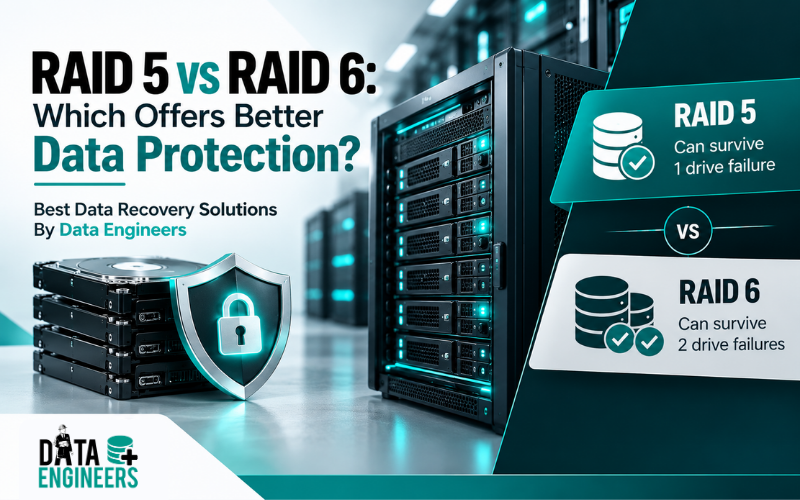
RAID 5 vs RAID 6: Which Offers Better Data Protection?
If you’re choosing between RAID 5 vs RAID 6, the biggest difference is simple:
RAID 5 uses single parity and can tolerate one drive failure, while RAID 6 uses dual parity and can tolerate two simultaneous drive failures.
RAID 5 provides better usable storage capacity and generally lower parity overhead.
RAID 6 sacrifices the capacity of an additional drive and has more write overhead, but it provides an extra layer of protection when a second drive fails before the array has fully rebuilt.
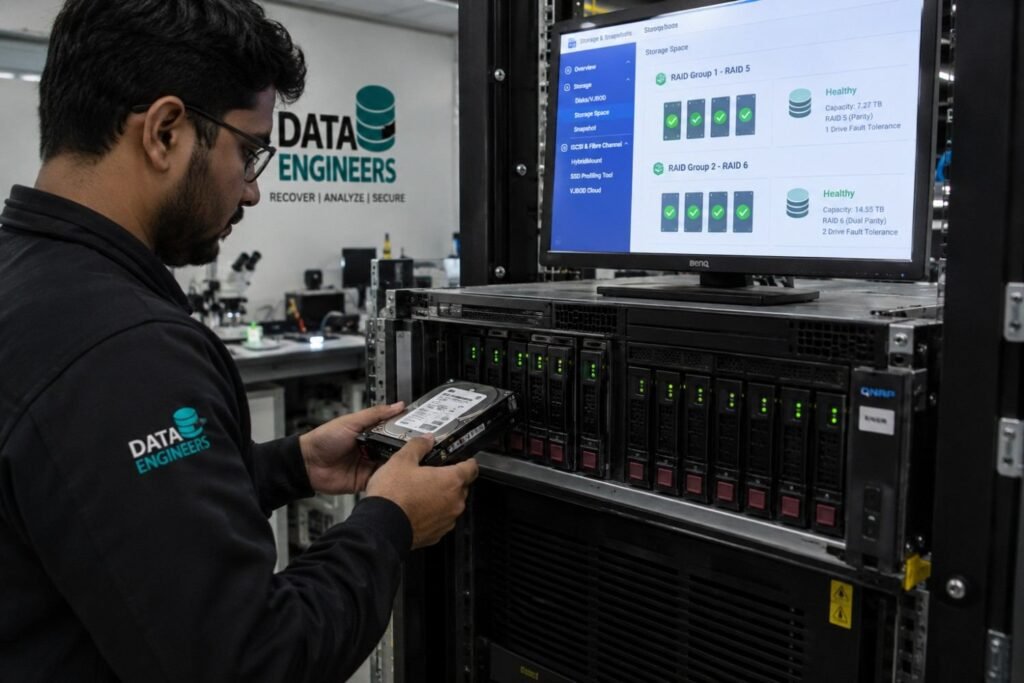
For smaller arrays where storage efficiency and performance are important, RAID 5 can still make sense.
For larger arrays, high-capacity HDDs, business-critical storage, NAS systems and situations where rebuilds can take a long time, RAID 6 often provides the safer level of fault tolerance.
The right choice depends on more than capacity.
You also need to consider drive count, drive size, workload, rebuild time, failure risk and the importance of the data.
What Is RAID 5?
RAID 5 is a storage configuration that combines striping with distributed parity.
Data is spread across multiple drives while parity information is distributed throughout the array.
If one drive fails, the missing information can be reconstructed using the remaining data and parity.
RAID 5 basics
- Minimum drives: 3
- Drive failures tolerated: 1
- Parity: Single
- Usable capacity: (N – 1) × smallest drive
- Write performance: Generally better than RAID 6
- Main advantage: Better storage efficiency
- Main weakness: No protection from a second drive failure during rebuild
For example, if you have six 10 TB drives in RAID 5:
(6 – 1) × 10 TB = 50 TB usable capacity
Approximately one drive’s worth of capacity is used for parity.
What Is RAID 6?
RAID 6 works similarly to RAID 5 but adds a second independent parity calculation.
That additional parity allows the array to continue operating even if two drives fail simultaneously.
RAID 6 basics
- Minimum drives: 4
- Drive failures tolerated: 2
- Parity: Dual
- Usable capacity: (N – 2) × smallest drive
- Write performance: Generally slower than RAID 5
- Main advantage: Higher fault tolerance
- Main weakness: More capacity and parity overhead
Using the same six 10 TB drives:
(6 – 2) × 10 TB = 40 TB usable capacity
So, RAID 6 gives up another 10 TB compared with RAID 5, but provides protection against a second drive failure.
For businesses using RAID-based NAS or SAN environments, Data Engineers provides NAS & SAN Data Recovery Services, including RAID 5/6 recovery and virtual RAID reconstruction.
RAID 5 vs RAID 6: Side-by-Side Comparison
Feature | RAID 5 | RAID 6 |
Minimum drives | 3 | 4 |
Parity | Single | Dual |
Drive failures tolerated | 1 | 2 |
Usable capacity | (N – 1) × smallest drive | (N – 2) × smallest drive |
Storage efficiency | Higher | Lower |
Read performance | Generally strong | Generally strong |
Write overhead | Lower | Higher |
Rebuild protection | Vulnerable to second drive failure | Protected against two-drive failure |
Rebuild complexity | Moderate | Higher |
Best suited for | Smaller arrays and capacity-focused workloads | Larger arrays and critical data |
The core trade-off is therefore straightforward:
RAID 5 prioritizes capacity efficiency. RAID 6 prioritizes additional fault tolerance.
RAID 5 vs RAID 6 Capacity: How Much Storage Do You Lose?

Capacity is often the first thing people compare.
RAID 5 uses the equivalent capacity of one drive for parity.
RAID 6 uses the equivalent capacity of two drives for parity.
Example: Four 10 TB drives
RAID 5
(4 – 1) × 10 TB = 30 TB
RAID 6
(4 – 2) × 10 TB = 20 TB
With only four drives, RAID 6 sacrifices a significant percentage of the raw capacity.
Example: Eight 10 TB drives
RAID 5
(8 – 1) × 10 TB = 70 TB
RAID 6
(8 – 2) × 10 TB = 60 TB
The absolute difference is still 10 TB, but the percentage cost of the additional parity becomes smaller as the array grows.
This is one reason RAID 6 becomes more attractive in larger arrays.
Why RAID 6 Protects Better During a Rebuild
This is where the RAID 5 vs RAID 6 decision becomes much more important than a simple capacity comparison.
Imagine a RAID 5 array with several large HDDs.
One drive fails.
The array can reconstruct the missing data, but it is now operating without its normal level of redundancy.
The replacement drive begins rebuilding.
During that process, the remaining drives may be under significant read activity because the array needs to reconstruct the missing information.
Now imagine another drive fails before the rebuild finishes.
RAID 5
The array can no longer tolerate that second failure under normal RAID 5 protection.
The result can be severe data loss and a much more complicated recovery situation.
RAID 6
RAID 6 has a second parity layer.
If another drive fails during the rebuild, the array still has enough redundancy to tolerate two failed drives.
That additional protection is the biggest reason organizations choose RAID 6 over RAID 5 for larger or more critical storage systems.
Why Large HDDs Change the RAID 5 vs RAID 6 Decision
Older RAID recommendations often focused heavily on the number of drives.
Today, drive capacity also matters.
Modern storage arrays can contain HDDs with capacities well into the multi-terabyte range. A failed large drive can require a substantial amount of data to be read and reconstructed during a rebuild.
That creates a longer period in which the array is vulnerable.
The larger the drives and the more data involved, the more important it becomes to think about:
- Rebuild duration
- Drive health
- Additional drive failures
- Unrecoverable read errors
- Controller behavior
- Workload during rebuild
- Backup availability
This doesn’t mean that RAID 5 automatically becomes unusable with large drives.
It means that the risk profile changes and RAID 6 provides an additional failure margin.
RAID 5 vs RAID 6 Performance
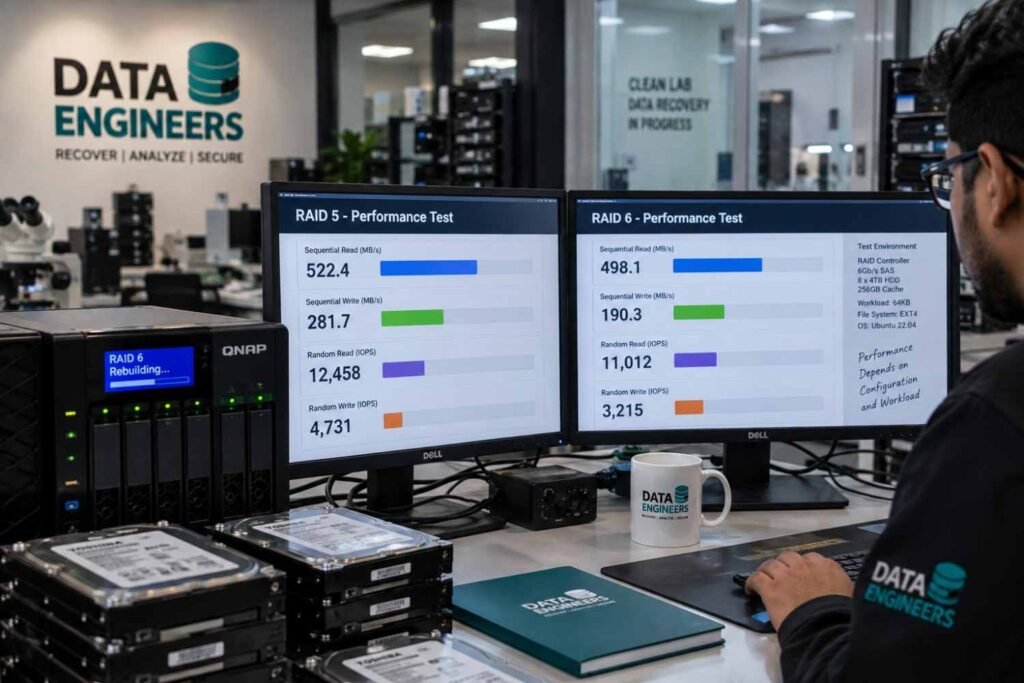
Performance is another important difference.
RAID 5 Write Performance
RAID 5 calculates one parity value for each stripe.
This creates additional work compared with a simple striped configuration, but its parity overhead is lower than RAID 6.
For many general-purpose workloads, RAID 5 provides a reasonable balance between:
- Capacity
- Read performance
- Write performance
- Fault tolerance
RAID 6 Write Performance
RAID 6 calculates and stores two parity values.
That additional parity protection requires more processing and write operations.
As a result, RAID 6 generally has greater write overhead than RAID 5.
This can matter more in:
- High-write workloads
- Databases
- Virtualization
- Transaction-heavy applications
- High-throughput storage systems
Actual performance depends on the RAID implementation, controller, drives, cache, workload, filesystem and other system factors, so RAID level alone does not determine the final performance.
RAID 5 vs RAID 6 for Different Workloads
There isn’t one RAID level that is perfect for every environment.
Small NAS
For a smaller NAS with limited drive capacity, RAID 5 may be attractive because it gives you more usable storage from the same number of drives.
RAID 6 becomes more appealing as the number and size of drives increase.
Business File Server
For business-critical files, RAID 6 can provide valuable additional protection.
If downtime or data loss would have a major operational impact, the second parity layer may justify the capacity trade-off.
If the RAID array is part of a business server, Data Engineers also provides Server Data Recovery Services for failed or corrupted server storage and RAID configurations.
Large HDD Storage Array
For arrays containing large-capacity HDDs, RAID 6 is often the more conservative choice because rebuilds can take a long time.
The second-drive protection becomes particularly valuable during that rebuild window.
If an individual hard disk inside the array has failed or become inaccessible, you can also explore Hard Disk Data Recovery Services.
Backup Storage
RAID 6 can be useful for a backup repository because it provides stronger protection against multiple drive failures.
But remember:
RAID is not a backup.
A RAID array can protect against certain hardware failures, but it cannot protect you from every type of data loss.
Database or High-Write Environment
If write latency and IOPS are critical, RAID 5 and RAID 6 may not always be the best choices.
Depending on the application, another RAID architecture such as RAID 10 may be worth considering.
The correct choice should be based on the actual workload rather than simply choosing the RAID level with the highest fault tolerance.
RAID 5 + Hot Spare vs RAID 6
A common question is:
Why not use RAID 5 with a hot spare instead of RAID 6?
A hot spare can automatically replace a failed drive and start rebuilding the array.
That can reduce the time before rebuilding begins.
However, there is an important difference.
RAID 5 + Hot Spare
The array still has RAID 5’s single-parity protection.
If another drive fails before the rebuild successfully restores redundancy, the array may suffer a serious failure.
RAID 6
RAID 6 maintains dual-parity protection.
It can tolerate two drive failures simultaneously.
So a hot spare and RAID 6 solve related but different problems.
A hot spare can help start recovery faster.
RAID 6 provides additional fault tolerance while the array is degraded.
Is RAID 6 Always Better Than RAID 5?
No.
RAID 6 offers stronger fault tolerance, but that doesn’t automatically make it the right choice for every environment.
RAID 5 may be appropriate when:
- You have a smaller array.
- Storage efficiency is important.
- Drives are relatively small.
- The workload is not heavily write-intensive.
- You have reliable independent backups.
- The consequences of extended recovery are manageable.
RAID 6 may be more appropriate when:
- You have many drives.
- Drives have high capacities.
- Rebuilds may take a long time.
- Data is business-critical.
- You want protection against two simultaneous failures.
- Downtime is expensive.
- The additional capacity cost is acceptable.
The decision should always consider the value of the data, not just the amount of storage.
RAID Is Not a Backup
This is one of the most important points to understand.
RAID provides redundancy.
It does not replace a proper backup strategy.
A RAID array can still be affected by:
- Accidental deletion
- File-system corruption
- Malware
- Ransomware
- RAID controller failure
- Incorrect rebuild
- Human error
- Fire
- Flood
- Power problems
- Multiple hardware failures
For important business information, maintain an independent backup in addition to RAID.
If your RAID array has already failed, RAID and NAS/SAN Data Recovery Services can help assess RAID failures, including RAID 5/6 configurations, multiple-drive failures, corrupted arrays and NAS/SAN storage problems.
For readers comparing network storage systems and recovery requirements, see: NAS vs SAN Data Recovery: Complete Guide.
What Happens If RAID 5 or RAID 6 Fails?

A RAID failure doesn’t always mean that the data is permanently lost.
However, what you do immediately after the failure can significantly affect recovery.
If a RAID array fails:
Stop unnecessary rebuild attempts.
Do not randomly:
- Swap drive positions
- Initialize drives
- Format drives
- Reconfigure the RAID
- Create a new array
- Run unknown recovery software
- Repeatedly force failed drives to operate
RAID configuration information such as drive order, stripe size, parity layout and metadata can be important during recovery.
Before attempting any rebuild, read our detailed guide: RAID Array Failed? What NOT to Do & What Actually Works.
If the RAID is part of an investigation or the data requires forensic handling, Data Engineers also provides Damaged RAID Forensics.
RAID 5 vs RAID 6: Recovery Complexity
RAID recovery becomes more complicated when multiple drives fail.
With RAID 5, a single failed drive can normally be reconstructed from the remaining array information.
But if another drive fails before redundancy is restored, professional reconstruction may be required.
RAID 6 provides greater tolerance because two failed drives can be reconstructed using the dual-parity information.
However, RAID 6 is not immune to failure.
A third required drive failure can still cause an array failure and logical problems or controller issues can affect either RAID level.
For complex cases, professional RAID data recovery may involve:
- Drive health assessment
- Sector-by-sector imaging where appropriate
- RAID metadata analysis
- Drive-order identification
- Stripe and parity reconstruction
- Virtual RAID reconstruction
- File-system analysis
- Data extraction
- File verification
Data Engineers’ NAS & SAN Data Recovery service supports virtual RAID reconstruction, RAID 5/6 recovery, file-system repair and secure data extraction.
Which Is Safer: RAID 5 or RAID 6?
If the question is purely about drive-failure protection, RAID 6 is safer.
RAID 5
One drive failure
RAID 6
Two drive failures
That second level of protection is especially useful when the array contains many drives or high-capacity HDDs and the rebuild window is long.
But “safer” doesn’t mean “better in every situation.”
RAID 5 provides:
- Better usable capacity
- Lower parity overhead
- Lower storage cost
RAID 6 provides:
- Better multi-drive fault tolerance
- Better protection during a single-drive rebuild
- More resilience for larger arrays
RAID 5 vs RAID 6: Which One Should You Choose?
Use this simple decision framework.
Choose RAID 5 when:
Capacity and efficiency are your main priorities and you have a relatively small array with a strong independent backup strategy.
Choose RAID 6 when:
Data protection and rebuild safety are more important than maximum usable capacity, particularly with larger arrays and high-capacity drives.
For business-critical storage:
RAID 6 is often the more conservative choice when the organization can accept the additional capacity and write overhead.
And if your workload is extremely write-intensive or latency-sensitive, compare RAID 6 with alternatives such as RAID 10 before making a final architecture decision.
RAID 5 vs RAID 6: Final Comparison
Decision Factor | RAID 5 | RAID 6 |
Minimum drives | 3 | 4 |
Parity | 1 | 2 |
Failure tolerance | 1 drive | 2 drives |
Capacity efficiency | Better | Lower |
Write overhead | Lower | Higher |
Rebuild protection | Lower | Higher |
Large HDD arrays | More risk during rebuild | Better protection |
Critical business data | Depends on risk tolerance | Often preferred |
Cost efficiency | Better | Lower |
Main advantage | Usable capacity | Fault tolerance |
Final Verdict: RAID 5 vs RAID 6
The choice between RAID 5 vs RAID 6 comes down to one fundamental trade-off:
RAID 5 gives you more usable capacity. RAID 6 gives you more protection.
RAID 5 uses one parity layer and can survive one drive failure.
RAID 6 uses dual parity and can survive two simultaneous drive failures.
For smaller arrays where capacity efficiency matters, RAID 5 can still be a practical option.
For larger storage arrays, high-capacity HDDs, NAS environments and business-critical data, RAID 6 can provide a valuable additional safety margin during rebuilds.
But regardless of which RAID level you choose, remember:
RAID is redundancy, not backup.
Maintain independent backups and monitor the health of your drives.
And if your RAID 5, RAID 6, NAS or server array has already failed, do not start rebuilding or reconfiguring it blindly. Preserving the original RAID structure can be critical for successful recovery.
For professional assistance, explore Data Engineers’ complete data recovery services for RAID, NAS, SAN, server, HDD and other storage recovery requirements.
Related Data Recovery Guides

Worldwide Leader in Data Recovery



Leave a Comment