
GoPro & Action Camera SD Card Recovery: How to Recover Lost Videos and Photos Safely

What Is GoPro SD Card Recovery?
GoPro SD card recovery is the process of retrieving deleted, lost, formatted, corrupted or inaccessible photos and videos from the microSD card used in a GoPro camera.
Action cameras are designed to capture large amounts of high-resolution footage. A single microSD card may contain hours of 4K video, travel memories, sports recordings, professional shoots, family events or important project footage.
Unfortunately, memory cards can fail at the worst possible time.
You may discover that:
- Your GoPro is not showing your videos.
- The camera asks you to format the card.
- Previously recorded footage has disappeared.
- Videos were accidentally deleted.
- The SD card suddenly stopped working.
- A video is visible but will not play.
- The memory card is not detected by a computer.
- The card became corrupted after recording.
- Important footage disappeared after a transfer.
The good news is that some lost footage may still be recoverable, particularly when the card has not been overwritten.
The most important first step is simple:
Stop using the memory card until you understand what happened.
Why Do GoPro Videos Disappear?
There is rarely just one reason for action-camera data loss.
Understanding the cause can help determine the safest recovery approach.
Accidental Deletion
You may accidentally delete a video while managing footage directly on the camera or while transferring files to another device.
If new information has not overwritten the previous storage area, deleted data may remain recoverable.
Accidental Formatting
Formatting an SD card removes the existing file structure and can make previously recorded footage appear to have disappeared.
This does not necessarily mean every underlying data area has immediately been destroyed.
However, the more the card is used after formatting, the greater the possibility of overwriting recoverable information.
SD Card Corruption
A corrupted memory card may show:
- Missing folders
- Incorrect capacity
- Unreadable files
- Camera errors
- Blank directories
- “Format card” messages
- Videos that will not open
File-system corruption can happen after interrupted recording, improper removal, power problems, card degradation or other storage errors.
Camera Stops During Recording
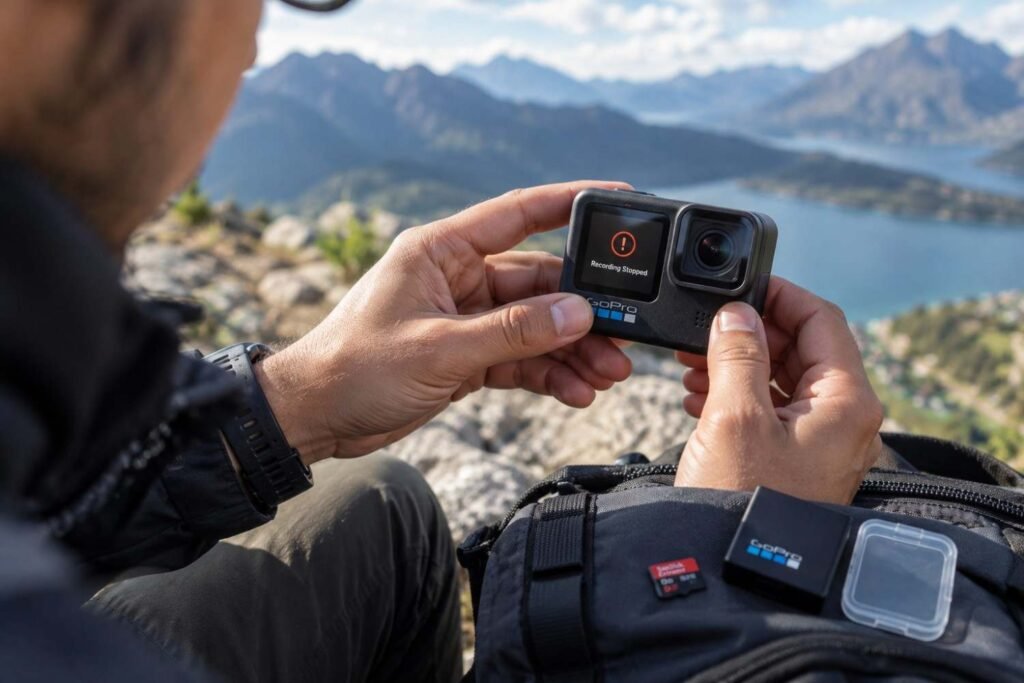
A camera can lose power or stop unexpectedly while recording.
GoPro documentation notes that the camera can attempt to repair a damaged recording when a file becomes damaged because of a power loss or a problem saving the file.
However, automatic repair does not mean every damaged recording will always be restored successfully.
Memory Card Wear
Flash memory cards have a limited write life. Continuous high-resolution video recording places significant demands on the card.
GoPro recommends suitable high-speed cards for compatible cameras, while card manufacturers also publish compatibility and speed requirements for camera recording.
Can Deleted GoPro Videos Be Recovered?
Yes, deleted GoPro videos can sometimes be recovered.
The biggest factor is whether new data has overwritten the storage space previously occupied by the deleted footage.
For example:
You record 20 videos → accidentally delete them → immediately stop using the card
This provides a better recovery situation than:
You delete the videos → continue recording for several hours → fill most of the card
Once old storage areas are overwritten, recovery may become impossible or the recovered video may be incomplete.
This is why acting quickly matters.
What to Do Immediately After Losing GoPro Footage
If your GoPro footage has disappeared, don’t panic and don’t start experimenting with the card.
Follow these steps.
1. Stop Recording
Do not capture another photo or video.
Every new recording can potentially overwrite previously deleted information.
2. Turn Off the Camera
Safely power down the GoPro before removing the microSD card.
3. Remove the Card Carefully
Take the memory card out of the camera and keep it safe.
Avoid unnecessary handling or repeated insertion and removal.
4. Do Not Format the Card
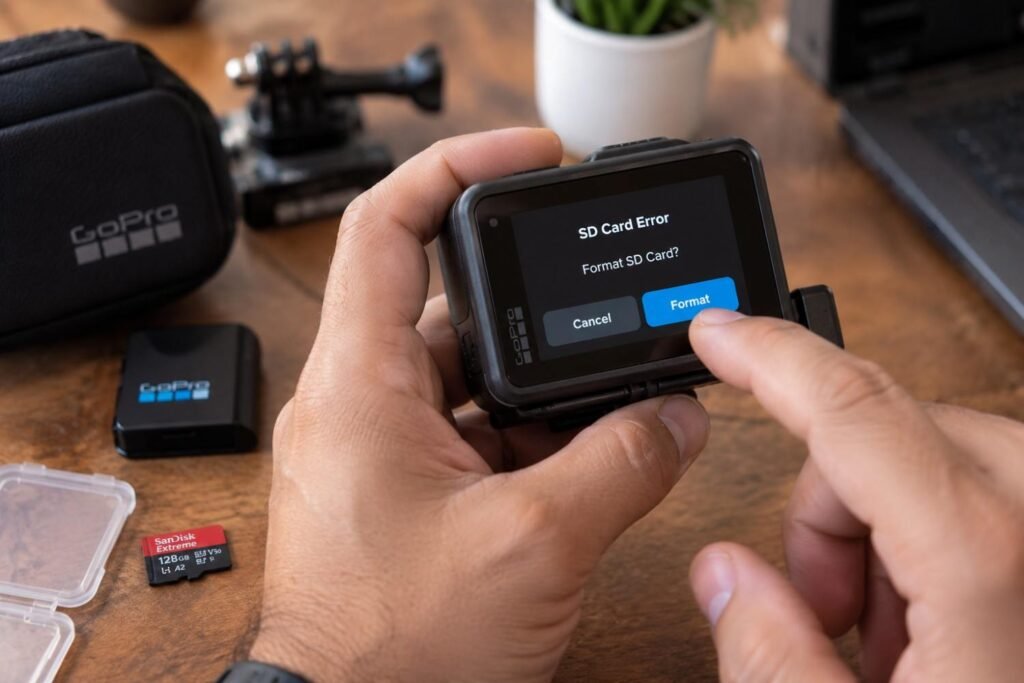
If the camera says:
“SD Card Error”
or
“Format SD Card”
do not immediately select format if the existing footage is important.
Formatting can make the recovery situation more complicated.
5. Avoid Saving Anything Back to the Card
The recovery destination should be a separate healthy drive.
Do not recover files directly back onto the affected microSD card.
Step-by-Step GoPro SD Card Recovery
For a healthy card with accidentally deleted files, software-based recovery may sometimes be appropriate.
Step 1: Remove the microSD Card
Power off the camera and remove the card.
Handle it carefully and keep the original card unchanged.
Step 2: Connect It Using a Card Reader
An external card reader can allow the computer to access the memory card directly.
This can be useful when investigating the card independently from the camera.
However, if the card is physically damaged or repeatedly disconnects, stop further testing.
Step 3: Check Whether the Card Is Detected
Look for the card in your computer’s storage management tools.
You may encounter situations where:
- The card appears normally.
- The card appears without its folders.
- The card shows the wrong capacity.
- The computer asks for formatting.
- The card does not appear at all.
These symptoms indicate different levels of difficulty.
SanDisk’s current support guidance also recommends checking card compatibility, the host device, card slot, drive visibility and recovery options when a memory card is not detected.
Step 4: Create an Image When Appropriate
If the card contains important footage and is still readable, creating a sector-level image or clone can provide a safer working copy.
The original card can then be preserved while analysis is performed on the copy.
This becomes especially important when the card is unstable or showing read errors.
Step 5: Scan the Image or Card
A trusted recovery application may offer:
- Quick scan
- Standard scan
- Deep scan
- File-system analysis
- File-signature scanning
A deeper scan can take longer, especially on high-capacity cards.
Step 6: Preview the Results

Do not recover everything blindly.
Look for the specific:
- Videos
- Photos
- Folders
- Recording dates
- File names
- File sizes
Previewing helps determine whether the recovered footage is actually usable.
Step 7: Save Recovered Files Somewhere Else
Always save recovered files to a separate healthy storage device.
Never save recovered footage back onto the original SD card.
Recovering Videos From a Formatted SD Card
Accidentally formatting a GoPro memory card is one of the most common situations where users immediately start looking for recovery.
The possibility of recovering formatted footage depends on several factors.
Quick formatting + no new recordings
This can provide a better recovery opportunity.
Formatting + continued recording
The situation becomes more difficult because new recordings can overwrite old data.
Repeated formatting and use
The chances can decrease further.
Therefore, if you accidentally formatted the card, the best action is:
Stop using it immediately.
Do not format it again just to test whether the camera recognizes it.
Memory-card recovery software can sometimes recover data after deletion or formatting and SanDisk currently documents recovery software support for formatted or deleted files on compatible memory cards.
Recovering Corrupted GoPro Videos
Deleted files and corrupted videos are not exactly the same problem.
A deleted video may still contain most or all of its original data but have its file-system reference removed.
A corrupted video may still appear on the card but fail to play correctly.
You may see symptoms such as:
- Video shows 0 KB
- Video is unusually small
- Video has a normal size but will not play
- Video stops at a particular frame
- Video has missing sections
- Audio is missing
- The camera cannot preview the recording
GoPro cameras can attempt automatic file repair for certain damaged recordings, especially when recording is interrupted.
If that does not work, further recovery may require examination of the underlying file data.
For broader file corruption problems, Data Engineers also provides corrupted files data recovery services.
What If the SD Card Is Not Detected?
This is a more serious situation.
If the memory card does not appear in your computer, don’t immediately assume that all data is gone.
Possible causes include:
- Dirty contacts
- Card-reader problems
- Compatibility issues
- File-system corruption
- Controller failure
- Flash-memory failure
- Physical damage
- Severe logical corruption
First, check whether another card works correctly in the same reader.
You can also test the affected card with another compatible reader or computer.
But if the card remains completely inaccessible and contains irreplaceable footage, avoid repeated testing.
Data Engineers’ guide on memory cards that are not detected covers common detection problems and when professional recovery should be considered.
GoPro, DJI, Insta360 and Other Action Cameras
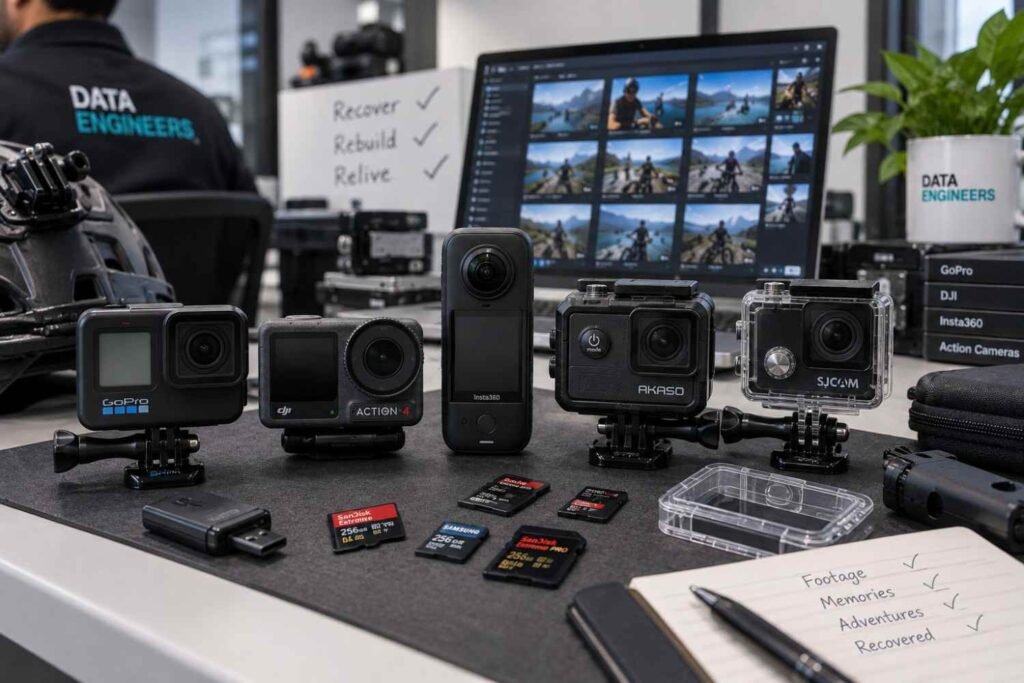
The same basic recovery principles can apply to many action cameras.
Examples include:
- GoPro
- DJI action cameras
- Insta360 cameras
- Other sports cameras
- Helmet cameras
- Motorcycle cameras
- Adventure cameras
- Compact video cameras
The exact storage structure and recording behavior can differ between manufacturers and models.
That means recovery should consider the camera brand, model, recording mode, card capacity, file system and video format.
If you’re asking for action camera memory card recovery, provide the recovery specialist with the exact camera model and explain what happened before the footage disappeared.
This can help establish the correct recovery path.
What File Types Can Be Recovered?
Action cameras commonly store high-resolution video and image files.
Depending on the camera and recording settings, recovery may involve formats such as:
Video
- MP4
- MOV
- LRV
- Other camera-specific video structures
Photos
- JPG/JPEG
- RAW formats
- Camera-specific image files
For example, GoPro documentation for the HERO6 Black notes that videos can be stored as .mp4 and .lrv files on the microSD card.
The presence of a file extension alone, however, does not guarantee that the recovered file is complete or playable.
When SD Card Recovery Software Is Not Enough
Recovery software can be useful in straightforward logical-loss situations.
But there are cases where continuing with software may not be the safest option.
Consider professional help if:
- The card is not detected anywhere.
- The card shows the wrong capacity.
- The card repeatedly disconnects.
- The card becomes extremely slow.
- The card has physical damage.
- Multiple recovery attempts have failed.
- Recovered videos are badly corrupted.
- The footage is professionally or legally important.
- The card contains irreplaceable family memories.
- The camera reports repeated card errors.
The difference is important:
Logical recovery generally deals with deleted, formatted or corrupted file structures.
Physical recovery may involve the memory card’s electronics, controller, flash memory or other hardware-level problems.
Trying multiple tools against an unstable card can make a difficult recovery even harder.
Professional Action Camera Memory Card Recovery

Data Engineers provides pen drive and memory card data recovery for SD cards, microSD cards and other flash-storage devices.
Recovery cases can include:
- Deleted photos
- Deleted videos
- Formatted memory cards
- Corrupted cards
- Inaccessible cards
- Memory cards not detected
- Damaged storage
- Lost camera footage
- Corrupted video files
The recovery process should begin with diagnosis rather than immediately attempting repairs.
For valuable footage, the objective is to preserve the original storage and recover the maximum amount of usable information possible.
Data Engineers provides data recovery services across India, including Delhi and New Delhi, with its recovery operations based in Nehru Place.
Common Mistakes That Can Permanently Lose Footage
1. Continuing to Record
This is one of the biggest risks after accidental deletion.
New footage can overwrite old data.
2. Formatting the Card Again
If your camera asks you to format the card, don’t do it if you still need the existing footage.
3. Recovering Files to the Same Card
The recovery destination should always be separate.
4. Running Too Many Recovery Tools
Repeated scanning can place unnecessary stress on an unstable card.
5. Opening or Physically Modifying the Card
A memory card is not something that should be opened or repaired casually.
6. Ignoring Physical Symptoms
If the card is completely dead, overheating, repeatedly disconnecting or not detected by multiple systems, stop experimenting.
7. Assuming a File Is Recovered Because It Has a Name
A recovered MP4 file may still be incomplete or corrupted.
Always validate important videos after recovery.
How to Prevent Future GoPro Data Loss
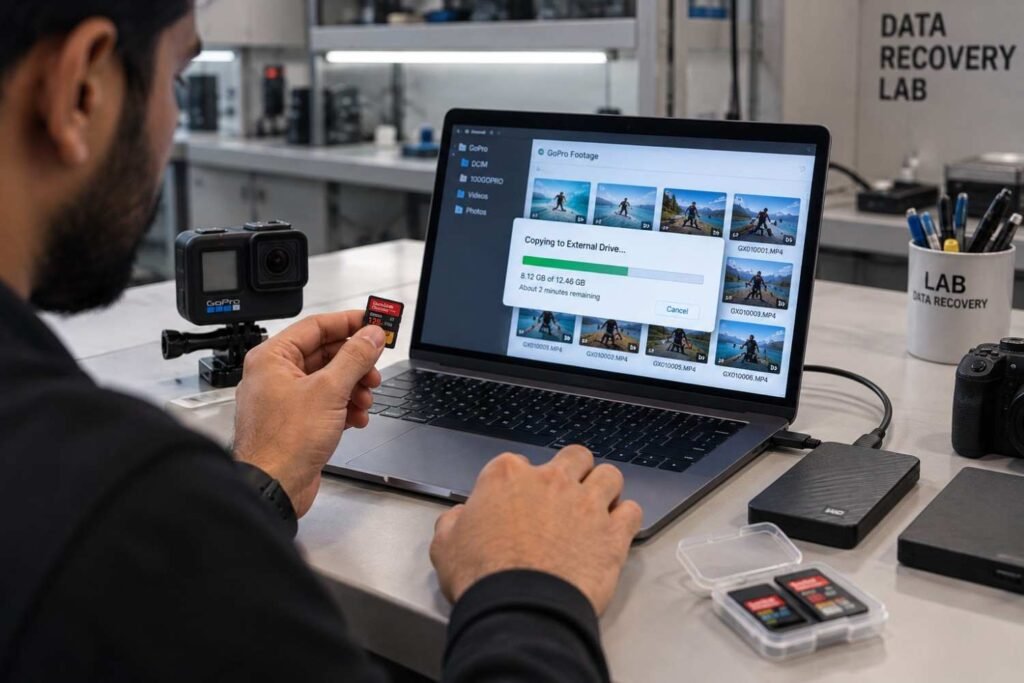
A simple backup routine can save hours of stress later.
Transfer Footage Regularly
Do not keep months of irreplaceable recordings on one microSD card.
Maintain Two Copies
Keep important footage in at least two separate storage locations.
For example:
Camera → Computer → External Backup
For professional footage, an additional off-site or cloud copy can provide further protection.
Safely Transfer Files
Avoid removing the card while data is being written or transferred.
Use Compatible Cards
Choose cards that meet the camera manufacturer’s requirements.
GoPro documentation for supported cameras recommends appropriate high-speed card specifications for reliable operation.
Replace Aging Cards
A memory card that has been heavily used for years should not be trusted as the only copy of important footage.
Format Only When Appropriate
Once your footage has been safely copied and backed up, format the card according to the camera manufacturer’s recommended procedure.
GoPro SD Card Recovery Checklist
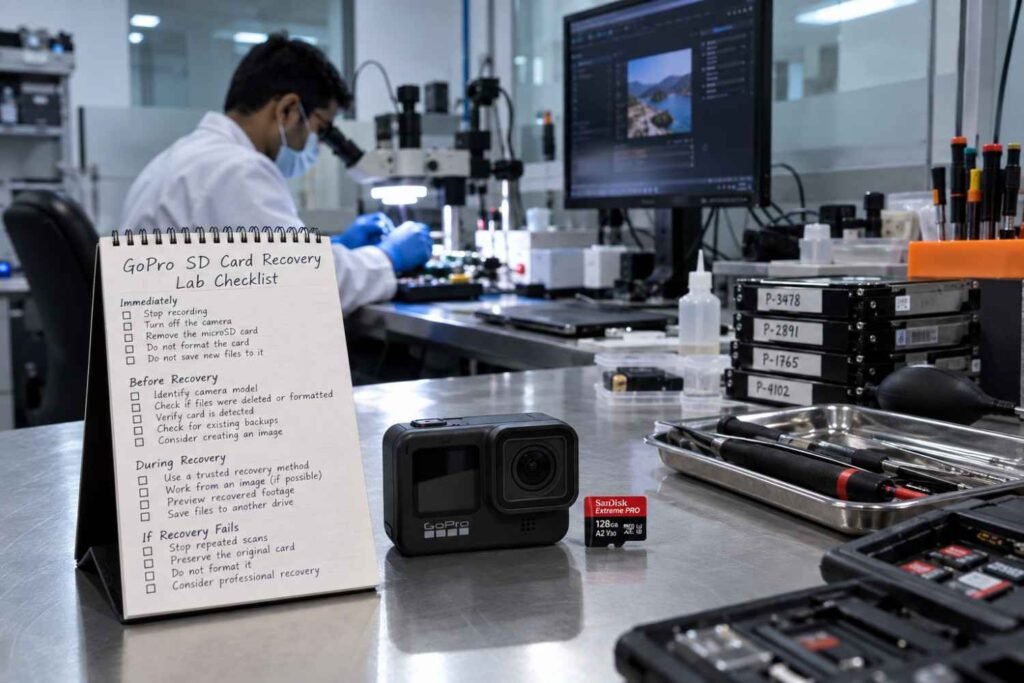
If you have lost important footage, follow this quick checklist:
Immediately
- Stop recording
- Turn off the camera
- Remove the microSD card
- Do not format the card
- Do not save new files to it
Before Recovery
- Identify your GoPro/action camera model
- Determine whether files were deleted or formatted
- Check whether the card is detected
- Check for existing backups
- Consider creating an image of the card
During Recovery
- Use a trusted recovery method
- Scan the original only when appropriate
- Prefer working from an image for important cases
- Preview recovered footage
- Save recovered files to another drive
If Recovery Fails
- Stop repeated scans
- Preserve the original card
- Do not format it
- Consider professional memory card recovery
Final Takeaway
Losing GoPro footage can be stressful, especially when the card contains a once-in-a-lifetime trip, sports event, family memory, professional shoot or important project.
The most important thing is not to make the situation worse.
If videos have been accidentally deleted, stop recording.
If the camera asks you to format the card, don’t format it before checking whether the existing data can be recovered.
If the card is corrupted or inaccessible, avoid repeated recovery attempts that could further stress the storage.
For simple logical problems, trusted recovery software may sometimes recover deleted or formatted footage. When the card is severely corrupted, physically damaged, not detected or contains irreplaceable recordings, professional action camera memory card recovery is the safer route.
Data Engineers provides professional SD card and memory card data recovery services for customers across India, including Delhi and New Delhi.
If your GoPro, DJI, Insta360 or other action camera has lost important footage, preserve the original memory card and get it assessed before taking further action.
Lost Your GoPro or Action Camera Footage?
Contact Data Engineers for professional data recovery assistance
You can also explore all Data Engineers data recovery services for memory cards, HDDs, SSDs, servers, NAS/SAN systems, corrupted files and other storage devices.

Worldwide Leader in Data Recovery




Leave a Comment