
Why Data Engineers Is a Trusted Expert in NAS, SAN & Server Storage Data Recovery Across India
When a NAS device fails, a SAN volume becomes inaccessible or a server RAID array stops working, important business data can suddenly become unavailable. Data Engineers provides professional NAS, SAN, RAID and server data recovery services across India, using experienced recovery specialists, professional diagnostic tools and a case-specific approach to complex storage failures.

With enterprise storage data recovery, the challenge is not always a single failed hard drive. The problem may involve multiple drives, RAID configurations, storage controllers, logical unit numbers (LUNs), file systems or virtual machine storage. Understanding how these components work together is essential when planning a recovery.
Data Engineers helps businesses and individuals assess data loss involving NAS systems, SAN storage, SATA and SAS drives, RAID arrays and enterprise servers. The appropriate recovery method depends on the type of failure, the condition of the storage media and the actions taken after data loss.
Why NAS, SAN and Server Data Recovery Requires Expertise
Enterprise storage systems are designed to keep business information accessible, but a hardware or configuration failure can affect an entire storage environment. A problem that appears to involve one drive may also affect the RAID array, logical volumes and applications that depend on it.
For example, a business may experience:
- A NAS device that no longer displays its shared folders.
- A RAID 5 or RAID 6 array that becomes degraded or inaccessible.
- A SAN volume or LUN that disappears from a connected server.
- A failed storage controller that prevents access to otherwise readable drives.
- A server that cannot access its databases or virtual machines.
- A failed RAID rebuild following one or more hard drive failures.
These cases require more than basic hard drive troubleshooting. A recovery specialist needs to understand the storage architecture, the relationship between the drives and the configuration used to organize the data.
Professional NAS, SAN and server data recovery starts with understanding the failure before making changes to the original storage system. This helps reduce avoidable risks and supports a more informed recovery plan.
What Is NAS Data Recovery?
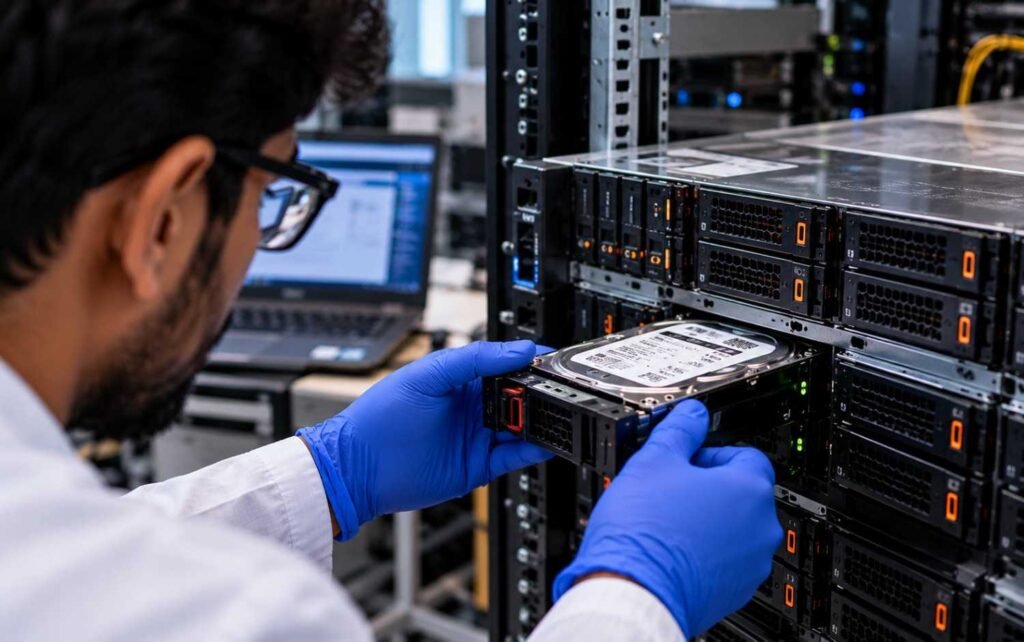
NAS stands for Network Attached Storage. It is a network-connected storage system that allows multiple users and computers to access shared files from a central location.
Businesses commonly use NAS devices for file sharing, document storage, backups, media libraries and centralized data management. Some systems also support business applications and virtual machine workloads.
NAS data recovery involves retrieving inaccessible, deleted, formatted or corrupted data from a NAS device when normal access is no longer possible.
Common NAS failure scenarios
- One or more hard drives have failed.
- A RAID volume is degraded or inaccessible.
- The NAS device does not boot correctly.
- Firmware or controller problems prevent normal operation.
- File-system structures or storage metadata are corrupted.
- A user accidentally deletes files or formats a volume.
- A RAID rebuild fails or the storage pool becomes unavailable.
- Ransomware or another security incident affects stored data.
Popular NAS platforms include Synology, QNAP, Buffalo, Western Digital, Seagate, Netgear, Asustor and other supported systems.
The recovery process depends on the device, the RAID configuration and the file system in use. For example, recovering data from a NAS using Btrfs, EXT4 or ZFS may require different analysis from a system using another file system.
RAID can provide redundancy in supported configurations, but it is not a substitute for a separate backup. Accidental deletion, ransomware, multiple drive failures and configuration errors can still cause data loss.
If a NAS device has failed, explore the NAS and SAN data recovery service offered by Data Engineers.
What Is SAN Data Recovery?
SAN stands for Storage Area Network. It provides block-level storage to connected servers and applications, commonly using technologies such as Fibre Channel and iSCSI.
Organizations use SAN systems for databases, enterprise applications, virtualization platforms and workloads that require centralized storage.
SAN data recovery focuses on retrieving data from inaccessible or damaged storage arrays, logical volumes and related enterprise storage components.
Common SAN recovery problems
- An inaccessible LUN or logical volume.
- Failed storage controllers.
- Multiple hard drive or SSD failures.
- Corrupted RAID metadata.
- Damaged storage pool or volume configuration.
- Firmware problems or unexpected shutdowns.
- Accidental volume deletion or reconfiguration.
- Inaccessible virtual machine datastores.
- Storage failures affecting business databases or applications.
SAN recovery can be particularly complex because the data may depend on several connected layers. These can include physical drives, RAID groups, storage pools, LUNs, file systems and the way the connected server accesses the storage.
A successful assessment must consider these relationships rather than treating every drive as an independent device.
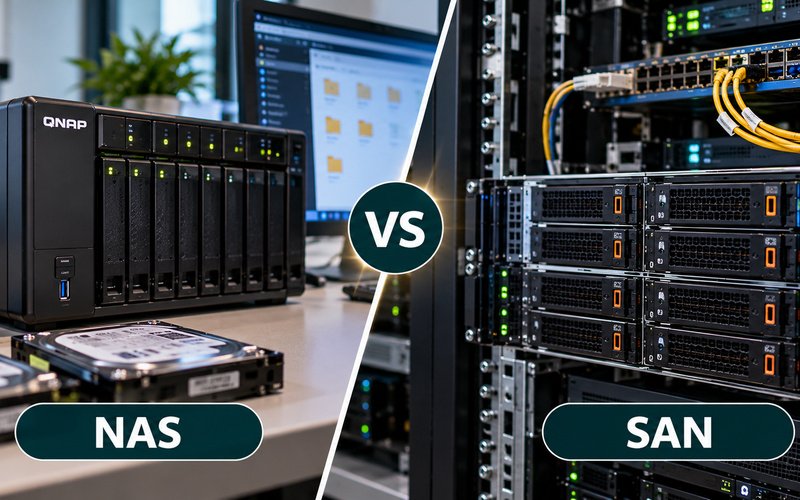
NAS vs SAN: Key Differences
Feature | NAS | SAN |
Full form | Network Attached Storage | Storage Area Network |
Access method | File-level access | Block-level storage |
Common uses | Shared folders, file storage and backups | Databases, virtual machines and enterprise applications |
Common connectivity | Ethernet-based networking | Fibre Channel or iSCSI, among other supported technologies |
Recovery challenges | RAID, file-system and device issues | RAID, LUN, controller and volume issues |
Both NAS and SAN systems can contain business-critical information. The recovery method depends on the storage architecture, the failure involved and the condition of the underlying drives.
SATA vs SAS Hard Drive Recovery
SATA and SAS are storage interfaces, not storage architectures. NAS and SAN describe how storage is organized and accessed, while SATA and SAS describe how compatible storage devices connect to a system.
Understanding this distinction is important when assessing enterprise storage data loss.
SATA hard drive recovery
SATA stands for Serial ATA. SATA hard drives and SSDs are commonly used in desktop computers, workstations, external storage devices, NAS units and some enterprise storage environments.
SATA data recovery may be required after:
- Accidental deletion or formatting.
- Bad sectors or unreadable files.
- File-system corruption.
- Firmware or electronic failure.
- Mechanical damage to a hard drive.
- A drive becoming undetected or inaccessible.
The correct recovery approach depends on the failure. A logically corrupted drive may require file-system analysis, while a physically damaged HDD may need specialist hardware assessment and controlled imaging.
Read more about professional hard disk data recovery and SSD data recovery.
SAS hard drive recovery
SAS stands for Serial Attached SCSI. SAS drives are widely used in enterprise servers, storage arrays and data-centre environments.
SAS drive recovery can involve individual drives as well as the RAID configuration or storage system in which they operate.
Common challenges include:
- Failed SAS drives within a RAID array.
- Controller or backplane problems.
- Corrupted RAID metadata.
- Multiple-drive failures.
- Inaccessible enterprise storage volumes.
- Damaged logical structures or file systems.
Connecting a SAS drive to another computer may not restore access to the original data. If it belongs to a RAID array or enterprise storage system, the surrounding configuration may be essential to reconstructing the data.
Data Engineers assesses the wider storage environment where necessary, rather than assuming that the problem can be solved by replacing an individual drive.
Common Causes of Enterprise Storage Failure

1. Multiple hard drive failures
RAID redundancy can protect against certain drive failures, depending on the RAID level and configuration. However, additional failures during a degraded state or rebuild may make the array inaccessible.
2. RAID configuration errors
Incorrect drive order, changed RAID parameters, failed rebuilds and accidental reconfiguration can prevent an array from being assembled correctly.
RAID recovery may require analysis of drive order, stripe size, parity rotation, offsets and other configuration details.
3. Storage controller failure
A failed controller can prevent access to a storage array even when some or all of the underlying drives remain readable. The recovery assessment must distinguish controller failure from drive failure and configuration problems.
4. File-system and metadata corruption
Damaged file-system structures, corrupted metadata or inaccessible logical volumes may prevent users from opening their files.
Depending on the storage system, analysis may involve file systems such as EXT3, EXT4, Btrfs, ZFS, NTFS, XFS or VMFS.
5. Firmware and power problems
Unexpected shutdowns, power interruptions and firmware faults can disrupt storage operations. In some cases, the system may no longer recognize its storage pools or volumes correctly.
6. Accidental deletion or formatting
Deleting a storage volume or formatting the wrong device can make existing data inaccessible. Recovery possibilities depend on the changes made, the storage technology and whether the original data has been overwritten.
7. Ransomware and software incidents
Ransomware, malicious activity and incorrect administrative operations can disrupt access to business files and storage volumes. Recovery may require storage assessment alongside a wider incident-response and security plan.
How Professional NAS, SAN and Server Recovery Works
The exact process depends on the device, configuration and type of failure. A professional recovery workflow generally includes the following stages.
Step 1: Initial assessment
The recovery team gathers information about the storage model, number of drives, RAID level, symptoms, error messages and recent configuration changes.
This information helps identify possible causes and determine which components need further examination.
Step 2: Drive and hardware analysis
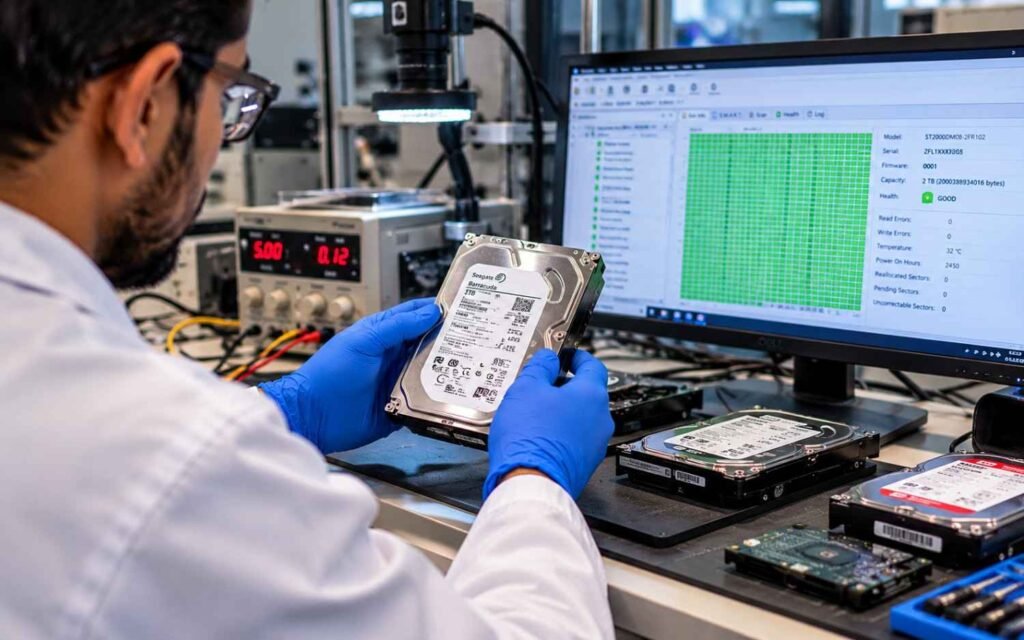
The drives and relevant hardware are assessed for readability, physical condition and signs of failure. Unstable drives may require a controlled approach to limit unnecessary access.
If a drive has physical damage, repeated attempts to power it on can worsen the problem.
Step 3: Controlled imaging
Where appropriate, specialists create sector-level images of readable drives before attempting RAID reconstruction or file-system analysis.
Working from images can reduce repeated access to unstable original media. The imaging method must be adapted to the condition of each drive; not every damaged device can be imaged in the same way.
Step 4: RAID and storage reconstruction
The recovery process may involve analysing:
- Drive order and member-disk relationships.
- Stripe size and parity layout.
- RAID metadata and configuration.
- Storage controller information.
- Logical volume and LUN configuration.
- Relationships between storage pools and file systems.
For complex arrays, the aim is to determine how the original data was organized before attempting extraction.
Step 5: File-system analysis and data extraction
Once the storage layout is understood, specialists examine the relevant file system and attempt to extract accessible data.
The approach may differ for ordinary files, databases, virtual machine files and enterprise application data. The result depends on the type and extent of damage.
Step 6: Verification and delivery
Recovered files are checked where technically possible and the recovery outcome is explained before delivery.
Verification can include checking file accessibility, directory structures and selected files. The extent of verification depends on the data type and the condition of the recovered information.
No recovery process can guarantee that every file will be restored. The final outcome depends on the original failure, media condition and previous actions.
For complex arrays, learn more about RAID recovery and damaged RAID forensics.
What to Do When NAS or SAN Storage Fails
The steps taken immediately after a storage failure can affect the available recovery options.
If the data is important, avoid making configuration changes before the failure has been assessed.
Follow these precautions:
- Stop unnecessary write activity: If it is safe and practical, prevent new writes to the affected storage.
- Record error messages: Note alerts, failed drive indicators and recent system changes.
- Avoid formatting or initializing volumes: These actions may overwrite metadata needed for recovery.
- Do not randomly change drive order: Preserve the original drive positions and labels.
- Avoid repeated RAID rebuilds: A rebuild can place additional stress on remaining drives and may complicate recovery when the underlying failure is not understood.
- Do not factory-reset the device: Resetting may change or remove configuration information.
- Preserve logs and configuration details: Record the RAID level, storage model, controller details and any recent changes.
- Seek professional assessment: This is especially important when multiple drives have failed or the storage contains business-critical information.
If a rebuild is already running, do not abruptly interrupt it without understanding the consequences. The safest next step depends on the current state of the array and the failure involved.
Avoid using generic desktop recovery software on complex enterprise storage without understanding the storage layout. A tool that reads a standalone drive may not correctly interpret a virtual RAID, LUN or enterprise file system.
Why Choose Data Engineers for NAS, SAN and Server Storage Recovery Across India?

Recovering data from enterprise storage requires an understanding of the relationship between physical drives, RAID configurations, controllers, logical volumes and file systems. The correct method must be selected according to the failure, not simply the device name.
Data Engineers provides professional data recovery services across India, including assessment of NAS systems, SAN storage, RAID arrays, servers, HDDs and SSDs.
Experienced recovery specialists
Enterprise storage failures can involve several interconnected components. Understanding RAID layouts, drive behaviour, storage controllers and logical volumes helps specialists evaluate the problem before selecting a recovery method.
Professional diagnostic and recovery tools
Appropriate diagnostic tools support drive assessment, controlled imaging, RAID reconstruction and data extraction. Tool selection depends on the storage hardware, failure type and condition of the media.
Enterprise storage expertise
Business storage can involve multiple drives, complex RAID configurations, virtualized storage and critical application data. A system-specific assessment is important when the problem extends beyond a single disk.
A structured, case-specific recovery approach
Rather than assuming every failure has the same cause, Data Engineers assesses the available information and identifies suitable next steps. This supports a more informed approach to physical, logical and configuration-related failures.
Confidentiality and careful data handling
Business storage may contain confidential documents, customer records, databases and operational information. Data recovery should be handled with appropriate care and access controls throughout the process.
India-wide service access
Data Engineers supports customers and businesses across India. Its base in Nehru Place, New Delhi, provides a point of contact for organizations seeking professional data recovery assessment.
For related requirements, explore the server data recovery service, complete data recovery services and contact Data Engineers.
Whether the issue involves an inaccessible NAS volume, a failed SAS drive, a SAN LUN or an enterprise RAID array, the first step is to understand the failure before attempting further repairs.
When Should You Contact a Data Recovery Expert?
Consider professional assessment when:
- A NAS device will not boot or its storage volume is inaccessible.
- A SAN LUN has disappeared or become unavailable.
- Multiple drives have failed or disappeared from an array.
- A RAID rebuild has failed or produced unexpected results.
- Storage controllers or firmware appear to have failed.
- Important databases, virtual machines or business files are inaccessible.
- The system contains critical information without a verified backup.
If the data is business-critical, avoid experimenting with multiple recovery utilities or changing the storage configuration without a recovery plan.
Conclusion
NAS, SAN, SATA and SAS describe different parts of a storage environment. NAS and SAN are storage architectures, while SATA and SAS are interfaces used by compatible storage devices. When enterprise storage fails, recovery may depend on understanding the complete system, including its RAID metadata, controllers, logical volumes, file systems and physical drive condition.
Data Engineers provides professional NAS, SAN, RAID, server, HDD and SSD data recovery services across India. With experienced specialists, professional diagnostic tools and a case-specific approach, the team helps assess complex storage failures and determine suitable recovery options.
Facing a NAS failure, inaccessible SAN volume or enterprise RAID problem? Contact Data Engineers for a professional recovery assessment before attempting risky rebuilds, formatting or reconfiguration.

Worldwide Leader in Data Recovery


Leave a Comment