
- 7 October, 2026
- Data Engineers
- 0 Comments
- 21 Views
- Blog
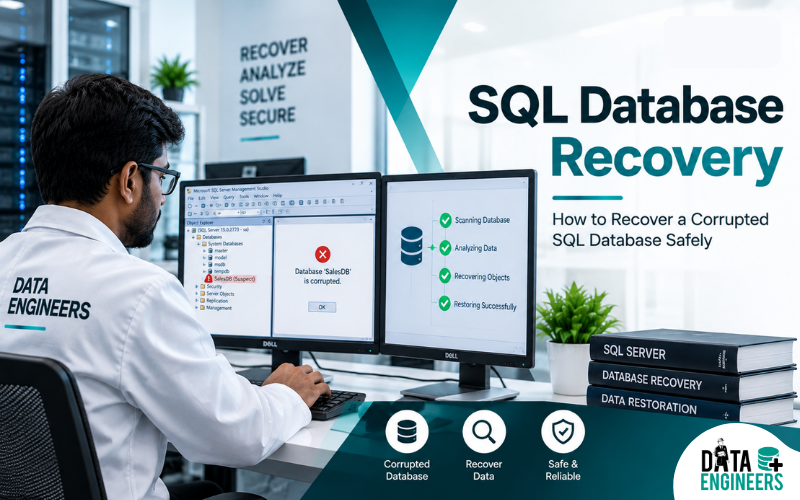
SQL Database Recovery: How to Recover a Corrupted SQL Database Safely
What Is SQL Database Recovery?
SQL database recovery is the process of bringing a damaged, corrupted, inaccessible or accidentally deleted database back to a usable and consistent state.
A database can become unavailable after a server crash, unexpected shutdown, storage failure, software problem, human error, malware attack or corruption of database files.
For businesses, the problem can be much bigger than simply losing a few files. A damaged database may contain customer records, financial transactions, inventory information, employee data, application records or years of business history.
The safest recovery method depends on what caused the failure, the database platform, the available backups and the condition of the underlying storage.
When a recent and verified backup exists, restoring that backup is normally the preferred approach. Microsoft also recommends using a known-good backup as the primary recovery method when dealing with SQL Server consistency problems.
Why Does an SQL Database Become Corrupted?
Database corruption does not always happen because of a problem inside the database software. The underlying storage and hardware can also be responsible.
Common causes include:
- Sudden power failure
- Server crash
- Hard drive failure
- SSD failure
- RAID controller problems
- RAID degradation or rebuild failure
- File-system corruption
- Faulty storage hardware
- Incorrect database operations
- Accidental deletion
- Malware or ransomware
- Failed software or operating-system updates
- Interrupted write operations
- Physical damage to storage media
For example, if a database server uses a RAID array and one or more drives fail, the database may become inaccessible even though the SQL application itself is working normally.
If the problem appears to involve a failed array, avoid immediately rebuilding or initializing the RAID. A wrong rebuild operation can make later recovery considerably more difficult.
For situations involving damaged arrays, see our RAID array failure recovery guide.
Identify the Database System First
Before attempting any recovery procedure, identify which database management system is involved.
Common platforms include:
- Microsoft SQL Server
- MySQL
- PostgreSQL
- Oracle Database
- MariaDB
- Other application-specific database systems
The recovery process is not identical across these platforms.
This article focuses primarily on Microsoft SQL Server, particularly backup restoration, recovery models, database consistency checks and situations where the underlying storage may also be damaged.
Do not apply a repair command designed for one database platform to another system.
SQL Server Recovery Models Explained
SQL Server uses three main recovery models:
Recovery Model | Log Backups | Point-in-Time Recovery | Typical Consideration |
Full | Yes | Yes | Best control over recovery when log chain is maintained |
Bulk-Logged | Yes | Limited | Useful for certain bulk operations |
Simple | No | No | Recovery is generally limited to available backups |
The recovery model determines how transaction logging works and what restoration options are available.
Full Recovery Model
The Full model supports transaction log backups and can provide point-in-time restoration when the required log chain is intact.
This can be particularly valuable when a business needs to recover a database to a point shortly before an accidental change or failure.
Bulk-Logged Recovery Model
Bulk-Logged recovery can reduce logging overhead for certain bulk operations. However, point-in-time restoration can have limitations when minimally logged bulk operations are involved.
Simple Recovery Model
Simple recovery does not support transaction log backups. Because of that, it does not provide the same point-in-time restoration capability available with the Full model.
The practical lesson is simple: your recovery options depend heavily on how the database was configured before the incident.
Step-by-Step SQL Database Recovery Process
Step 1: Stop Unnecessary Changes
If the database has become corrupted, avoid repeatedly opening, modifying, copying or attempting random repair operations.
Continuing normal write activity can potentially change the state of the affected database.
If the failure involves a physical storage device, unnecessary activity can also increase the risk of further hardware degradation.
Step 2: Identify the Failure
Determine what happened immediately before the database became unavailable.
Ask:
- Did the server suddenly shut down?
- Did the database stop after a software update?
- Is the database showing corruption errors?
- Is the storage device detected?
- Has the RAID array degraded?
- Was a database accidentally deleted?
- Is ransomware involved?
- Is the database file missing?
- Is the server experiencing hardware errors?
The answer can determine whether you are dealing with a logical database problem or a deeper storage failure.
Step 3: Check Available Backups
Before attempting aggressive repair, locate every available backup.
Look for:
- Full database backups
- Differential backups
- Transaction log backups
- Earlier backup copies
- Server-level backup systems
- Application backups
- Off-site backups
- Cloud backup copies
A full database backup contains the database and enough transaction-log information to support recovery to the point at which the backup completed.
If the database uses the Full recovery model and the required transaction logs are available, a more precise restoration may be possible.
Step 4: Consider a Tail-Log Backup
In certain SQL Server failure scenarios, a tail-log backup may be possible before restoration.
Its purpose is to capture transaction-log records that have not yet been backed up.
This can help reduce data loss when recovering a database after a failure.
However, whether this is possible depends on the condition of the database and log files. If the storage itself is failing, do not repeatedly stress the device simply to obtain a backup.
Step 5: Restore in the Correct Sequence
A typical SQL Server restoration strategy may involve:
- Restoring the full backup
- Restoring the differential backup, if applicable
- Restoring subsequent transaction-log backups
- Recovering the database at the required point
The exact sequence depends on the backup set and recovery model.
A backup should also be tested periodically. Having a file named “backup” does not automatically mean that it can successfully restore a working database.
Step 6: Analyse Database Consistency
If a backup is unavailable or you suspect logical corruption, SQL Server’s DBCC CHECKDB can be used to examine database consistency.
It can identify different types of structural and allocation-related problems.
However, checking a damaged database and repairing it are two different things.
If the database has underlying hardware problems, those problems should be addressed first. Microsoft recommends resolving hardware issues before relying on database repair procedures.
How to Analyse Database Structure and Schema
A database is more than a collection of records.
Its structure can include:
- Tables
- Indexes
- Views
- Stored procedures
- Relationships
- Constraints
- Permissions
- Transaction information
- Metadata
During database schema analysis, the goal is to understand what parts of the database remain accessible and what components may be affected.
This is especially important when a database opens partially but produces errors when specific tables or objects are accessed.
A professional database analysis may therefore involve examining the database files, metadata, transaction information, storage condition and available backup history before deciding what recovery method is appropriate.
The objective should not simply be to make the database open again. The objective is to recover as much valid information as possible while maintaining consistency.
Be Extremely Careful With REPAIR_ALLOW_DATA_LOSS
One of the biggest mistakes during database corruption is immediately using repair commands without understanding their consequences.
REPAIR_ALLOW_DATA_LOSS should not be treated as a normal recovery solution.
As its name indicates, the operation can involve data loss. Microsoft describes this type of repair as an emergency option rather than a replacement for restoring from a known-good backup.
Before using aggressive repair methods:
- Preserve the original database files
- Investigate the cause of corruption
- Check available backups
- Examine storage health
- Understand what information may be affected
- Work from a copy whenever technically appropriate
If the information is business-critical, experimenting directly on the only copy can create an avoidable recovery problem.
What If There Is No Usable Backup?
This is where the situation becomes significantly more complicated.
If there is no valid backup, recovery may require analysis of the original database files and the storage system.
Depending on the incident, recovery may involve:
- MDF file examination
- LDF file analysis
- Database file recovery
- Deleted database recovery
- Corruption analysis
- File-system investigation
- Storage-level recovery
- RAID reconstruction
- Server recovery
- Specialist database extraction
The possibility of recovery depends on the actual condition of the data.
There is no universal method that can guarantee recovery from every corrupted database.
If important business information exists only on a failed server or damaged storage device, avoid repeatedly attempting different repair tools.
Can RAID or Server Failure Damage a Database?
Yes.
Many business databases operate on physical or virtual servers using RAID, SAN, NAS or other enterprise storage systems.
A database may therefore appear to have a software problem when the underlying cause is actually:
- Failed HDDs
- Failed SSDs
- RAID degradation
- Controller failure
- Firmware problems
- File-system damage
- SAN/LUN problems
- Virtual storage issues
For complex storage environments, server data recovery may need to happen before database-level recovery.
Data Engineers provides professional server data recovery services for situations involving failed servers, storage systems, RAID configurations and database environments.
For NAS and SAN incidents, see our NAS and SAN data recovery service.
What About Ransomware-Damaged Databases?
Ransomware can affect database servers by encrypting database files, backup systems, shared storage or entire server environments.
In such situations, repeatedly changing files or running unknown decryption or repair utilities can make investigation more difficult.
If ransomware is suspected, preserve the affected environment and investigate recovery options carefully.
Data Engineers also provides ransomware and virus data recovery services.
Common Mistakes to Avoid
When dealing with a corrupted database, avoid these common mistakes:
1. Formatting the Storage
Do not format a drive simply because Windows or another operating system reports a problem.
2. Reinitializing a RAID
A RAID rebuild or initialization performed without understanding the original configuration can complicate reconstruction.
3. Running Random Repair Software
Different tools may modify the same files in different ways. Testing multiple utilities on the original data can increase risk.
4. Overwriting the Database
Do not restore unrelated files or create new databases over the affected storage.
5. Ignoring Hardware Symptoms
Repeated clicking, disappearing drives, overheating, read errors or controller failures can indicate a physical storage problem.
6. Working Only on the Database Layer
If the database sits on failed storage, fixing SQL Server alone may not solve the underlying problem.
When Professional Recovery Is Required?
Professional assistance becomes especially important when:
- No usable backup exists
- Database files are severely corrupted
- MDF or LDF files cannot be accessed
- The server has suffered hardware failure
- RAID has failed
- Multiple drives are unavailable
- The database resides on NAS or SAN storage
- The system has suffered ransomware
- Important business information is at risk
- Previous repair attempts have failed
In these cases, recovery should begin with diagnosis rather than trial and error.
Data Engineers approaches complex incidents by first assessing the storage condition, database environment, failure type and available recovery paths.
You can explore the complete Data Engineers data recovery services for different storage and enterprise recovery situations.
How to Prevent Future Database Loss
The best database recovery strategy is preparation.
Businesses should consider:
- Regular full backups
- Differential backups where appropriate
- Transaction-log backups when supported
- Off-site backup copies
- Tested restoration procedures
- RAID monitoring
- Storage health monitoring
- UPS protection
- Access controls
- Malware protection
- Disaster recovery planning
Most importantly, test your backups.
A backup that has never been restored successfully should not be considered fully reliable.
SQL Database Recovery Checklist
Before taking further action, use this quick checklist:
Database issue
- Identify the database platform
- Record the exact error
- Determine when the problem started
Storage
- Check HDD/SSD health
- Check RAID status
- Check server hardware
- Check file-system condition
Backups
- Locate the latest full backup
- Check differential backups
- Check transaction-log backups
- Verify backup integrity
Recovery
- Avoid unnecessary writes
- Preserve original files
- Analyse before repairing
- Use professional assistance for critical failures
Final Takeaway
A corrupted SQL database should not be treated as a problem that can always be fixed with one repair command.
The safest approach is to first understand what failed, where the database is stored, what backups exist and whether the underlying hardware is healthy.
If a reliable backup is available, restoration is normally the safest path. If the database has no usable backup and the original storage is damaged, specialist analysis may be required before attempting recovery.
For businesses in India, Delhi and New Delhi, Data Engineers provides professional data recovery support for servers, RAID systems, HDDs, SSDs, NAS/SAN environments, corrupted files and other storage failures.
When the data is critical, protect the original device first and recover systematically rather than experimenting with the only copy.
Contact Data Engineers for professional data recovery assistance
Frequently Asked Questions (FAQs)
What is SQL database recovery?
It is the process of restoring a damaged or inaccessible SQL database to a usable and consistent state using backups, transaction logs, database analysis or specialist recovery techniques.
Can a corrupted SQL database be recovered?
Sometimes. Recovery depends on the type and extent of corruption, the condition of the storage, available backups, database files and the actions already taken after the failure.
What should I do if my SQL database is corrupted?
Stop unnecessary changes, preserve the original database files, identify the failure, check available backups and avoid aggressive repair commands until the situation has been assessed.
Which SQL Server recovery model is best?
There is no single model that is best for every environment. Full recovery provides the strongest point-in-time recovery capability when transaction-log backups are maintained, while Simple recovery is easier to manage but provides fewer restoration options.
Can SQL Server recover to a specific point in time?
Yes, point-in-time restoration is supported with the Full recovery model when the required backup and transaction-log chain is available.
Should I run DBCC CHECKDB?
DBCC CHECKDB can be useful for checking database consistency, but it should be used carefully, particularly when the underlying storage may be failing.
Should I use REPAIR_ALLOW_DATA_LOSS?
It should not be the first option for an important database. It can result in data loss and should be considered only after safer recovery options have been evaluated.

Worldwide Leader in Data Recovery

Professional Expertise with Long Term Experience
DATA ENGINEERS
011-26426316 | +91-9910132719 | +91-9818567981
support@dataengineers.in
Call us for a free advice.
Specialists at retrieving data from all types of hard drive and phone storage media, today Data Engineers has grown into the India’s largest and most technically capable data recovery company.


Leave a Comment