
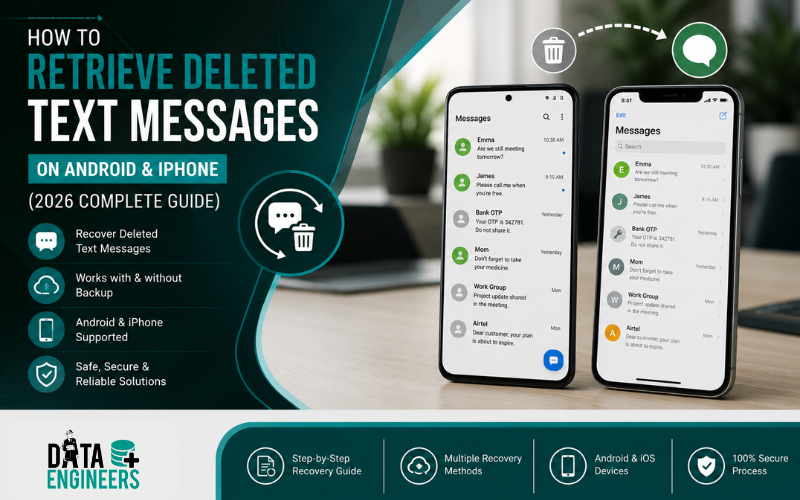
How to Retrieve Deleted Text Messages on Android & iPhone (2026 Complete Guide)
Losing important text messages can be frustrating, especially if they contain personal conversations, business information, OTPs, addresses or legal evidence. Fortunately, deleted messages are not always gone forever. Depending on your device, backup settings and how recently the messages were deleted, there may be several ways to recover them.

Whether you’re wondering how to retrieve deleted text messages, how to recover deleted messages or searching for recently deleted messages, this guide explains the available recovery methods for both Android and iPhone in simple language.
We’ll also cover situations where recovery becomes difficult, what mistakes to avoid and when professional mobile data recovery may be required.
What Happens When You Delete a Text Message?
Many people assume that pressing the Delete button permanently removes a message. In reality, that’s not always the case.
On most smartphones, deleting a message usually removes it from the messaging app, but the underlying storage may not be overwritten immediately. Until new data replaces that storage space, recovery may still be possible in some situations.
The recovery method depends on several factors, including:
- Your phone model
- Android or iPhone operating system
- Whether cloud backup is enabled
- Whether the message is in the Recently Deleted folder
- How long ago the message was deleted
- Whether new data has overwritten the deleted information
Understanding these factors helps determine the best recovery approach.
Can Deleted Text Messages Be Recovered?
Yes, in many cases, deleted messages can be recovered, but success depends on how the messages were deleted and whether a backup is available.
You have a better chance of recovery if:
- The messages were deleted recently.
- Google Backup or iCloud Backup is enabled.
- Samsung Cloud backup is available.
- The messages are still in the Recently Deleted folder.
- The phone has not been factory reset.
- The deleted data has not been overwritten.
Recovery becomes much more difficult if:
- The storage has been overwritten.
- The phone was factory reset without a backup.
- Secure data erasure has been performed.
- The device has severe physical damage.
How to Retrieve Deleted Text Messages on Android
Android devices offer several ways to recover deleted SMS messages depending on the manufacturer and your backup settings.
1. Check Google Messages Archive

Sometimes users accidentally archive conversations instead of deleting them.
To check:
- Open Google Messages.
- Tap your profile picture.
- Select Archived.
- Restore the conversation if found.
This is one of the easiest ways to recover messages that appear to be missing.
2. Restore Using Google Backup
If Google Backup was enabled before the messages were deleted, you may be able to restore them during device setup.
Steps:
- Verify that Google Backup exists.
- Factory reset the device only if necessary.
- Sign in using the same Google account.
- Restore the backup during setup.
Keep in mind that restoring a backup may replace newer data created after the backup was made.
3. Recover Messages from Device Backup
Some Android manufacturers provide their own backup solutions.
Examples include:
- Samsung Cloud
- Xiaomi Backup
- OnePlus Clone Phone
- OPPO Cloud
- Vivo Cloud Backup
If your phone regularly creates backups, deleted messages may still be available.
How to Recover Deleted Messages on Samsung Phones
Samsung phones include several recovery options depending on your settings.
Samsung Cloud Backup
If Samsung Cloud backup was enabled:
- Open Settings
- Go to Accounts and Backup
- Select Restore Data
- Choose Messages
- Restore the latest available backup
Smart Switch Backup
If you previously created a backup using Samsung Smart Switch on your computer, you may also recover deleted text messages from that backup.
How to Retrieve Deleted Messages on Google Messages

Google Messages is the default messaging app on many Android devices.
Unfortunately, Google Messages does not currently provide a universal Recently Deleted folder like some other messaging platforms.
However, you should still check:
- Archived conversations
- Google Backup
- Device manufacturer backups
- Carrier backups (if available)
If none of these options are available, recovery may require professional data extraction depending on the device model and storage condition.
How to Recover Deleted Messages on iPhone
Apple provides one of the easiest recovery methods through the Recently Deleted folder in the Messages app.
If your iPhone supports this feature:
- Open the Messages app.
- Tap Edit or Filters.
- Open Recently Deleted.
- Select the conversations you want to restore.
- Tap Recover.
Recently deleted messages are generally retained for a limited period before being permanently removed, making it important to act quickly.
If the messages are no longer available there, you can also restore them using an iCloud backup if one was created before deletion.
Why Some Deleted Messages Cannot Be Recovered
Many users search for how do you get deleted texts expecting every deleted message to be recoverable. Unfortunately, that isn’t always possible.
Recovery may fail because:
- The deleted storage has been overwritten.
- Automatic cleanup has removed temporary data.
- The device has been reset.
- Secure deletion has occurred.
- The backup was created after the deletion.
- Physical storage damage prevents access.
Knowing these limitations helps set realistic expectations before attempting recovery.
Recover Deleted Text Messages Using Google Backup

If your Android phone automatically backs up your data to your Google account, you may be able to restore deleted text messages by restoring the backup.
How to Check Google Backup
- Open Settings.
- Go to Google > Backup.
- Check the date of your latest backup.
- If the backup was created before the messages were deleted, it may contain your SMS history.
During the setup of a new or factory-reset device, Google allows you to restore backed-up data, including messages if they were included in the backup.
Important: Restoring a backup may replace current data on your device. Consider backing up your latest files before proceeding.
Recover Deleted Text Messages Using iCloud Backup
If you’re an iPhone user and the messages are no longer available in Recently Deleted, an iCloud backup may still help.
Steps to Restore Messages from iCloud
- Check whether an iCloud backup exists.
- Verify the backup date.
- Ensure it was created before the messages were deleted.
- Restore the backup during iPhone setup if appropriate.
Keep in mind that restoring an older backup can replace newer data stored on your iPhone.
Can You Recover Deleted Messages Without a Backup?
This is one of the most common questions people ask after accidentally deleting important conversations.
The answer is sometimes.
Recovery depends on factors such as:
- Device model
- Android or iOS version
- Storage technology
- Encryption
- Time since deletion
- Whether new data has overwritten the deleted information
Modern smartphones use advanced encryption and storage management, which means there is no guaranteed way to recover permanently deleted messages without a backup.
However, if the phone has suffered physical damage or cannot be accessed normally, professional data recovery specialists may be able to assess whether recovery is technically possible.
Can You Recover Messages from a Broken Phone?

Yes, in many situations.
If your phone has:
- A broken screen
- Water damage
- Charging issues
- Motherboard problems
- Boot failure
- Physical damage
your messages may still exist inside the device’s storage.
The recovery process depends on the condition of the phone and whether the storage chips remain functional.
Professional recovery laboratories use specialized equipment to safely access data from damaged devices whenever feasible.
Recover Deleted Messages After Water Damage
Water damage is one of the leading causes of smartphone data loss.
If your phone contains important text messages:
- Turn the device off immediately.
- Do not charge it.
- Do not place it in rice.
- Avoid repeatedly turning it on.
- Seek professional inspection as soon as possible.
Attempting DIY fixes can increase the risk of permanent data loss.
Common Mistakes That Reduce Recovery Success
Many users accidentally make recovery more difficult by continuing to use the device after deleting messages.
Avoid these common mistakes:
- Continuing to use the phone heavily after deletion
- Installing SMS recovery apps without understanding their limitations
- Factory resetting the phone before checking backups
- Overwriting storage with new photos or videos
- Ignoring available cloud backups
- Attempting hardware repairs without proper tools
- Delaying recovery after physical damage
The sooner recovery is attempted, the better the chances of success.
When Should You Contact a Professional?

While backups and built-in recovery options work in many cases, some situations require expert assistance.
Professional recovery may be worth considering if:
- The phone is physically damaged.
- The device no longer powers on.
- The storage has become corrupted.
- Important business or legal messages have been lost.
- Recovery attempts using built-in methods have failed.
- The device contains irreplaceable personal data.
At this stage, avoiding further DIY attempts can help preserve the remaining data.
Why Choose Data Engineers for Mobile Data Recovery?
When standard recovery methods don’t work, professional expertise becomes important.
Data Engineers has been helping individuals, businesses and organizations recover valuable data since 2010. Our specialists handle complex recovery cases involving Android and iPhone devices, including phones affected by accidental deletion, logical corruption, hardware failure, water damage and other storage issues.
Why Clients Trust Data Engineers
- Trusted by 10,000+ satisfied customers
- Over 20 years of combined industry expertise
- Class 100 ISO-certified cleanroom facility
- ISO 9001 & ISO 27001 Certified
- 98% recovery success rate
- No Recovery, No Charge policy
- 100% confidential recovery process
- PAN India service coverage
- Advanced recovery equipment and experienced engineers
In addition to mobile phone recovery, Data Engineers also provides professional recovery services for:
- Hard Drive Data Recovery
- SSD Data Recovery
- RAID Data Recovery
- NAS Data Recovery
- USB Drive Recovery
- Memory Card Recovery
- Deleted & Formatted Data Recovery
Our specialists evaluate every case individually and recommend the most suitable recovery approach based on the device’s condition.
Conclusion
Accidentally deleting important text messages doesn’t always mean they’re gone forever. Depending on your device, backup settings and how recently the messages were deleted, you may be able to restore them using built-in recovery features such as Recently Deleted, Google Backup, Samsung Cloud or iCloud Backup.
If those methods don’t work, avoid repeatedly using the device, as new data can overwrite deleted information and reduce the chances of recovery.
For situations involving physically damaged phones, inaccessible devices or critical data loss, professional evaluation may be the safest option.
If you need expert assistance recovering deleted text messages or other valuable mobile data, Data Engineers provides professional recovery services backed by experienced specialists, advanced recovery technology and secure handling procedures.
Contact Data Engineers
📍 Address
704, Meghdoot Building-94,
Nehru Place, New Delhi
📞 Phone: +91-9818567981
📧 Email: support@dataengineers.in
🌐 Website: www.dataengineers.in
Whether you’ve lost personal conversations, business messages or important SMS records, the team at Data Engineers can assess your device and recommend the most appropriate recovery solution.

Worldwide Leader in Data Recovery




Leave a Comment