- 5 October, 2026
- Data Engineers
- 0 Comments
- 42 Views
- Blog
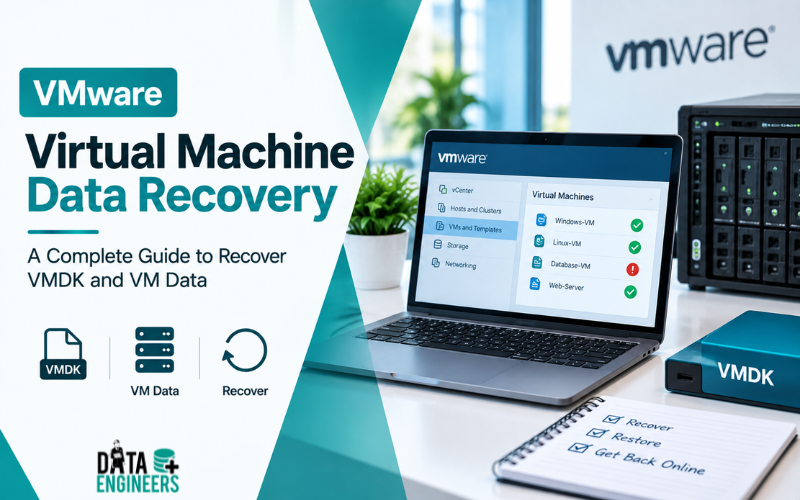
VMware Virtual Machine Data Recovery: A Complete Guide to Recover VMDK and VM Data
What Is VMware Virtual Machine Data Recovery?
VMware virtual machine data recovery is the process of recovering files, applications, databases, operating systems and other information stored inside a VMware virtual machine after the VM becomes inaccessible, corrupted, deleted or damaged.
For many businesses, a virtual machine is effectively an entire computer stored as files on a datastore.
A single VMware environment may contain:
- Business applications
- SQL databases
- ERP systems
- Customer records
- Accounting software
- Email systems
- Company documents
- Development environments
- Virtual desktops
- Application servers
- Backup servers
When something goes wrong with the underlying storage, the impact can therefore be much larger than losing one ordinary file.
VMware recovery may be required after accidental deletion, VMDK corruption, datastore problems, failed RAID systems, storage-controller failures, snapshot issues, server crashes or other infrastructure failures.
The recovery method depends on what was lost, where it was stored, whether backups or storage snapshots exist and the physical condition of the underlying storage.
Understanding VMDK Files and VMware Storage
One of the most important files in a VMware environment is the VMDK or Virtual Machine Disk file.
A VMDK represents a virtual disk used by a virtual machine. From the guest operating system’s perspective, it can behave like a physical hard disk.
Depending on the VMware configuration, a virtual machine may contain several related files, including:
- .vmdk virtual disk files
- -flat.vmdk data files
- -delta.vmdk snapshot-related files
- .vmx virtual machine configuration
- .nvram firmware information
- Log files
- Snapshot metadata
This is why simply finding one VMDK file does not always mean the entire virtual machine can immediately be started.
The relationship between the virtual disk, configuration, datastore structure and snapshot chain may need to be understood before recovery.
Common Causes of VMware Data Loss
Virtual machine data loss can happen at several different levels.
1. Accidental VM Deletion
An administrator may accidentally remove a virtual machine from the environment or select an option that deletes the VM files from the datastore.
This is very different from simply removing a VM from inventory.
If the virtual machine files themselves have been deleted, recovery depends on available backups, storage snapshots and the condition of the datastore.
Broadcom’s current guidance notes that when a VM is deleted from disk through the vSphere interface, its files are removed from the datastore and the normal recovery route is restoration from backup. Where backups are unavailable, storage-level recovery or a professional data recovery service may be considered.
2. VMDK Corruption
A corrupted virtual disk may cause symptoms such as:
- VM refusing to boot
- Operating system not loading
- File-system errors
- Missing partitions
- Unexpected I/O errors
- Applications inside the VM becoming unavailable
- VMware reporting disk-related errors
The underlying cause may be a damaged datastore, failing physical disk, interrupted operation, storage-controller problem or corruption within the virtual disk structure.
3. Datastore Failure
If the datastore becomes inaccessible, multiple virtual machines can disappear at the same time.
Possible causes include:
- RAID failure
- SAN failure
- NAS failure
- LUN corruption
- Storage controller failure
- File-system damage
- Multiple disk failures
- Hardware failure
- Firmware problems
In this situation, recovering one VMDK individually may not be the right first step.
The storage architecture should be investigated first.
4. Snapshot Problems
VMware snapshots can be useful for certain operational tasks, but they should not be treated as a replacement for backups.
Broadcom explains that a VMware snapshot acts as a change log against the original virtual disk, with a delta disk storing changes made after the snapshot. If the base disks are deleted, the snapshot files alone are not sufficient to restore the virtual machine.
This is particularly important when dealing with a damaged or deleted VM.
A snapshot is not automatically a complete independent backup.
5. RAID and Server Failure
Many VMware environments run on enterprise servers connected to RAID, NAS, SAN or other shared storage.
A physical failure can therefore affect the virtual infrastructure at a much deeper level.
For example:
Failed HDD → RAID degradation → datastore becomes unstable → VMDK becomes inaccessible → virtual machine stops working
In such a situation, repairing the VMware layer alone may not solve the actual problem.
Can a Deleted VMware Virtual Machine Be Recovered?
Yes, recovery may be possible, but it depends on how the VM was deleted and what remains on the storage.
There is an important difference between:
VM removed from inventory
The virtual machine may still exist on the datastore.
In this situation, it may be possible to locate the VM’s files and register the machine again.
VM deleted from disk
The virtual machine files may have been removed from the datastore.
In this case, recovery becomes more complicated.
The safest options are usually:
- Restore from a verified backup.
- Check for an appropriate storage-level snapshot.
- Preserve the affected datastore.
- Avoid writing new data to the affected storage.
- Consider specialist recovery when no usable backup exists.
Do not assume that a VMware snapshot automatically solves the problem. Snapshot chains depend on the underlying virtual disks and configuration.
Step-by-Step VMDK Recovery Process
If a virtual disk has become inaccessible or important VM files have disappeared, follow a controlled recovery process.
Step 1: Stop Unnecessary Activity
The first rule is simple:
Do not continue writing to the affected datastore unnecessarily.
New data can overwrite storage areas containing recoverable information.
Avoid repeatedly powering the VM on and off if you already suspect underlying storage failure.
Step 2: Identify What Was Lost
Determine whether the problem involves:
- One VMDK
- Multiple VMDKs
- A complete VM
- Snapshot files
- VMX configuration
- Entire datastore
- SAN LUN
- RAID array
- Physical server
This distinction can completely change the recovery strategy.
Step 3: Check Existing Backups
Before attempting file-level recovery, check:
- VMware backup software
- Full VM backups
- Application-aware backups
- Storage snapshots
- Replicated VMs
- Off-site backups
- Cloud backups
- Secondary datastores
A verified backup is usually safer than attempting to reconstruct a severely damaged virtual disk.
Step 4: Preserve the Original Storage
If the environment is suffering from physical storage problems, create an appropriate image or clone of the affected storage before performing risky operations, where technically feasible.
For enterprise environments, this can mean preserving:
- RAID members
- SAN LUNs
- NAS drives
- Datastore structures
- Virtual disks
- Snapshot chains
The objective is to avoid making the original evidence or data condition worse.
Step 5: Analyse the VMDK
If the VMDK remains available, examine:
- File size
- Disk descriptor information
- Parent-child relationships
- Snapshot dependencies
- Virtual disk structure
- File-system condition
- Read errors
A VMDK should not be treated as an ordinary document that can simply be repaired by opening it in random software.
Step 6: Scan for Recoverable Data
When the virtual disk is damaged or deleted, specialized recovery tools may be used against a copy or image of the affected storage.
Depending on the case, recovery may identify:
- Lost partitions
- File systems
- Deleted folders
- Documents
- Databases
- Application data
- User profiles
- Virtual machine files
A deep scan may take significantly longer on large enterprise storage.
Step 7: Preview and Validate the Results
Finding a file is not the same as proving that it is usable.
Recovered data should be checked for:
- Correct file names
- Correct directory structure
- File integrity
- Database consistency
- Application functionality
- VM boot capability
For a business-critical VM, validation is especially important.
Step 8: Export to Separate Storage
Never save recovered data back onto the damaged datastore.
Recovered information should be transferred to a healthy and separate destination.
This protects the original data and reduces the chance of overwriting additional recoverable information.
What to Do When a VMDK Is Corrupted
If a VMDK is showing errors, first determine whether the problem exists inside the virtual disk or below it.
For example:
Logical VMDK problem
The physical storage is healthy, but the virtual disk or guest file system is damaged.
Storage-level problem
The VMDK appears corrupted because the underlying datastore, RAID, SAN, LUN or physical drives have failed.
These two situations require very different approaches.
If the underlying storage is unstable, repeatedly scanning or repairing the VMDK can place additional stress on the storage.
For broader corrupted-data situations, Data Engineers also provides corrupted files data recovery services.
VMware Snapshot Problems and Recovery
Snapshots are one of the areas where administrators can easily misunderstand how VMware storage works.
A snapshot does not simply create a second complete copy of the VM.
Instead, VMware uses snapshot-related files to record changes relative to the original virtual disk.
Broadcom specifically advises that VMware snapshots should not be used as backups and recommends avoiding long-lived snapshot chains.
Common snapshot-related problems include:
- Snapshot chain growth
- Missing parent disk
- Broken snapshot relationships
- Snapshot consolidation problems
- Deleted base disk
- Corrupted delta disk
- Storage exhaustion
- VM becoming inaccessible after storage problems
If a snapshot chain is damaged, do not randomly delete snapshot files from the datastore.
Deleting the wrong file can make the VM more difficult to recover.
Recovering a VM From a Failed Datastore
A datastore failure is potentially much more serious than a single corrupted file.
The datastore may be hosted on:
- Local server disks
- RAID
- SAN
- NAS
- Fibre Channel storage
- iSCSI storage
- Enterprise storage arrays
When a datastore disappears, first determine whether the problem is:
VMware configuration → network/storage connectivity → LUN → RAID → physical drives
This layered diagnosis helps avoid treating a hardware failure as a software problem.
For enterprise storage environments, Data Engineers provides NAS and SAN data recovery services, including recovery scenarios involving VMware and virtualized storage environments.
VMware Recovery After RAID or Server Failure
VMware virtual machines are frequently stored on RAID-based servers or shared storage.
If multiple disks fail, a controller becomes corrupted or the array configuration is lost, the VMs may become inaccessible even though the VMDK files themselves were originally intact.
Do not immediately:
- Rebuild the RAID
- Initialize the array
- Format the drives
- Replace drives randomly
- Create a new datastore
- Install recovery software on the affected storage
- Write new VM data to the array
RAID reconstruction should be based on the original configuration and disk condition.
Data Engineers’ RAID failure recovery guide explains why blind rebuilding, formatting or changing disk order can make recovery more difficult.
For investigation involving damaged enterprise arrays, damaged RAID forensics may also be relevant.
What If There Is No Backup?
This is where VMware VMDK recovery becomes particularly important.
If no usable backup or storage snapshot exists, recovery may need to be performed from the original storage.
Depending on the incident, specialists may need to recover:
- Deleted VMDK files
- Damaged VMDK structures
- VMX configuration
- Snapshot-related files
- Datastore metadata
- Lost partitions
- File-system structures
- RAID data
- SAN LUN information
- Physical disk contents
The recovery process should be performed on copies or images whenever possible rather than repeatedly modifying the original environment.
If the VM contains an SQL database, ERP system, financial records or other mission-critical application, recovering the underlying storage correctly becomes even more important.
Data Engineers’ server data recovery service covers recovery situations involving servers, RAID systems, databases and virtual machines.
Common VMware Recovery Mistakes to Avoid
1. Reinstalling VMware on the Same Storage
Do not install new software or rebuild the environment over the affected storage without understanding what may be overwritten.
2. Formatting the Datastore
If a datastore suddenly appears unavailable or asks to be formatted, stop and investigate first.
Formatting can destroy important metadata.
3. Deleting Snapshot Files Manually
Never assume that deleting -delta.vmdk files will fix a snapshot problem.
Snapshot files may have dependencies.
4. Rebuilding RAID Without Diagnosis
An incorrect RAID rebuild can overwrite information required for reconstruction.
5. Recreating the VM Over the Original Data
Creating a new VM using the same datastore can write new information to areas that may contain deleted or damaged VM data.
6. Running Recovery Software on the Original Storage
Install recovery tools on a separate healthy system whenever possible.
The recovery destination should also be different from the source.
7. Treating Snapshots as Backups
A snapshot is not a substitute for a proper backup strategy. Broadcom explicitly warns against using VMware snapshots as backups.
When Professional Virtual Machine Recovery Is Required
Professional help should be considered when:
- The VMDK is severely corrupted
- The VM has been accidentally deleted
- No backup exists
- The datastore is inaccessible
- Multiple VMs disappeared together
- RAID has failed
- Multiple physical disks are damaged
- SAN storage is unavailable
- A LUN has become corrupted
- The server has failed
- Snapshot chains are damaged
- Critical databases are inside the VM
- Previous recovery attempts have failed
A professional recovery process can investigate the entire storage chain instead of focusing only on the visible VMware error.
How Data Engineers Handles Complex VM Recovery
Data Engineers approaches virtual machine recovery by first identifying the actual failure layer.
Depending on the case, this can include:
1. Initial Diagnosis
Understanding the VMware environment, storage architecture, failure symptoms and available backups.
2. Storage Assessment
Checking whether the issue is related to HDDs, SSDs, RAID, SAN, NAS, LUNs or other infrastructure.
3. Safe Imaging
Where appropriate, creating copies or images of affected storage before deeper analysis.
4. Virtual Storage Reconstruction
Reconstructing RAID or storage structures when the VM resides on failed enterprise storage.
5. VMDK Analysis
Examining virtual disk structures and identifying recoverable data.
6. Data Extraction
Recovering important files, folders, databases, application data and other information.
7. Validation
Checking recovered information before final delivery.
Data Engineers provides professional server data recovery for enterprise environments involving servers and virtual machines.
For physical HDD failures, the hard disk data recovery service is relevant when the underlying VM storage is hosted on failed hard drives.
For SSD-based environments, see the SSD data recovery service.
How to Prevent VMware Data Loss
Recovery is important, but prevention is better.
Maintain Proper VM Backups
Keep independent backups rather than relying only on snapshots.
Test Restoration
A backup is useful only if it can actually be restored.
Regularly test critical virtual machines.
Monitor Storage Health
Watch for:
- Disk errors
- RAID degradation
- Storage latency
- Capacity problems
- Controller warnings
- SMART alerts
- SAN/LUN errors
Manage Snapshots Properly
Avoid unnecessarily long snapshot chains and remove snapshots through supported VMware procedures.
Broadcom recommends keeping snapshot usage limited and not treating snapshots as backup copies.
Keep More Than One Recovery Copy
For important business systems, consider maintaining backup copies in different locations or storage environments.
This can reduce the impact of ransomware, hardware failure, accidental deletion or infrastructure-wide incidents.
VMware Virtual Machine Recovery Checklist
If your VMware environment has suffered data loss, use this quick checklist:
Immediate Response
- Stop unnecessary writes
- Do not format the datastore
- Do not rebuild RAID blindly
- Do not delete snapshot files manually
- Record the error messages
- Identify affected VMs
Investigation
- Check VM backups
- Check storage snapshots
- Check datastore accessibility
- Check RAID status
- Check SAN/NAS connectivity
- Check physical drive health
- Identify missing VMDK files
Recovery
- Preserve original storage
- Create an image when appropriate
- Analyse VMDK structures
- Recover to separate storage
- Validate recovered files
- Verify VM/application functionality
Final Takeaway
A VMware virtual machine is more than a single file. It can depend on VMDK files, snapshot chains, configuration files, datastore structures, RAID systems, SAN/NAS storage and the physical drives underneath the environment.
That is why the right recovery strategy starts by identifying the actual failure.
If a reliable backup exists, restoring the VM is normally the safest option. If the VM was deleted, the VMDK is corrupted or the datastore itself has failed, recovery may require a deeper investigation.
The most important rule is:
Do not make changes that could overwrite the original virtual machine data.
For businesses in India, Delhi, New Delhi and other locations, Data Engineers provides professional recovery support for servers, RAID, NAS/SAN, HDD, SSD, corrupted storage and virtual machine environments.
If your VMware VM contains critical business information, databases, applications or company records, protect the original storage first and choose a recovery process based on diagnosis rather than trial and error.
Need VMware or Server Data Recovery?
Contact Data Engineers for professional data recovery assistance
You can also explore our complete data recovery services for server, RAID, NAS/SAN, HDD, SSD, ransomware and corrupted-data recovery.
Frequently Asked Questions (FAQs)
What is VMware virtual machine data recovery?
It is the process of recovering data from VMware virtual machines after problems such as VMDK corruption, accidental deletion, datastore failure, snapshot problems, RAID failure or server damage.
Can a deleted VMDK be recovered?
Potentially. The chances depend on whether the storage has been overwritten, whether backups or snapshots exist and the condition of the underlying datastore.
Can a corrupted VMDK be repaired?
Sometimes. The correct approach depends on whether the corruption is inside the virtual disk or caused by an underlying storage failure.
Can a deleted VMware VM be recovered without a backup?
Possibly. If no backup or storage snapshot exists, recovery may require specialist analysis of the underlying datastore or storage system. Broadcom notes that professional third-party data recovery may be considered when a deleted VM cannot be restored through available VMware or backup methods.
Are VMware snapshots backups?
No. VMware snapshots should not be treated as backups. They record changes relative to the original virtual disk and depend on the underlying disk structure.
What should I do if my VMware datastore is corrupted?
Stop unnecessary writes, avoid formatting or reinitializing the datastore, check available backups and determine whether the problem originates from VMware, the file system, SAN/NAS, RAID or physical storage.
Can VMDK files be recovered from a failed RAID?
Yes, recovery may be possible depending on the RAID configuration, number of failed drives, drive condition and amount of overwriting. Professional RAID reconstruction may be required before the VMDK data can be extracted.
Can VMware data recovery recover SQL databases inside a VM?
Potentially. If the virtual disk can be recovered successfully, databases and other application data stored inside the VM may also be extracted, subject to their condition.
Can a VM be recovered from a failed server?
Yes, in some cases. If the storage containing the VM remains recoverable, specialists may be able to reconstruct the storage environment and extract the virtual machine files.
Should I use VMDK recovery software myself?
For simple logical deletion on healthy storage, some recovery software may be useful. However, using recovery software on a failing datastore, RAID array, SAN or physically damaged storage can increase the risk of data loss.

Worldwide Leader in Data Recovery

Professional Expertise with Long Term Experience
DATA ENGINEERS
011-26426316 | +91-9910132719 | +91-9818567981
support@dataengineers.in
Call us for a free advice.
Specialists at retrieving data from all types of hard drive and phone storage media, today Data Engineers has grown into the India’s largest and most technically capable data recovery company.

Leave a Comment