
Recover Password-Protected ZIP, RAR, 7Z & ARJ Archives: A Complete Recovery Guide
Password-protected archives are commonly used to secure confidential business documents, financial records, project backups, software packages and personal files. While encryption protects sensitive information from unauthorized access, forgetting the password can make your own data inaccessible.

Many users search for terms like recover ZIP password, unlock RAR file, 7Z password recovery or archive password remover hoping for an instant solution. Unfortunately, there is no universal tool that can simply remove or bypass a password from a properly encrypted archive.
The good news is that recovery may still be possible in some situations. The success depends on factors such as the archive format, encryption method, password complexity and whether any part of the password is remembered.
This guide explains how archive password protection works, safe DIY recovery methods, common limitations and when professional archive recovery services may be the best option.
Why Archive Files Are Password Protected
Archive formats such as ZIP, RAR and 7Z allow users to compress files while also protecting them with passwords and strong encryption.
Password protection is commonly used for:
- Confidential business documents
- Financial reports and accounting records
- Customer databases
- Project backups
- Legal documents
- Medical records
- Engineering drawings
- Software source code
- Cloud backup archives
- Email attachments
Modern archive software uses advanced encryption algorithms such as AES-256, making unauthorized access extremely difficult without the correct password.
Understanding Archive Encryption

Not all archive formats use the same level of security.
ZIP Archives
Older ZIP archives may use ZipCrypto, which provides relatively weak protection compared to modern standards.
Newer ZIP files created with applications like WinZip or 7-Zip often use AES-128 or AES-256 encryption, offering significantly stronger security.
RAR Archives
Modern RAR archives (RAR5) use AES-256 encryption together with additional security features that protect both the archive contents and metadata.
7Z Archives
The 7Z format is designed with security in mind and typically uses AES-256 encryption with SHA-256-based key derivation, making password recovery considerably more challenging for strong passwords.
ARJ Archives
ARJ is an older archive format that may use weaker protection depending on the version. Recovery options may differ from modern archive formats.
Can Password-Protected Archives Be Unlocked?
One of the biggest misconceptions is that there are tools capable of instantly removing archive passwords.
In reality:
- Passwords are not stored in readable form inside the archive.
- Properly encrypted archives cannot simply be unlocked or bypassed.
- Recovery involves attempting to determine the correct password using legitimate recovery techniques.
The likelihood of success depends on:
- Password length
- Character complexity
- Encryption algorithm
- Password patterns
- Whether any password clues are available
Common Reasons Archive Passwords Are Lost

People often lose access to archives because:
- Passwords were forgotten after several years.
- Former employees created protected archives.
- Backup archives were inherited without documentation.
- Password managers were lost or corrupted.
- Different passwords were used for multiple archives.
- The archive was received from another person without the password.
- Old external drives contain encrypted backup files.
Safe DIY Methods to Recover Archive Passwords
Before attempting advanced recovery, try these safe methods.
1. Try Previously Used Passwords
Many users reuse passwords.
Try combinations involving:
- Company names
- Project names
- Birthdays
- Important dates
- Initials
- Frequently used passwords
- Keyboard patterns
Even small variations such as capitalization or additional numbers may work.
2. Check Your Password Manager
Look for stored credentials in password management applications or your browser.
Many archive passwords are saved automatically without users realizing it.
3. Search for Older Backup Copies
Older archive versions may:
- Not be password protected
- Use a simpler password
- Contain most of the required data
Check:
- External hard drives
- NAS devices
- Cloud backups
- Previous Windows backups
- Company backup systems
4. Look for Password Hints
Search through:
- Emails
- Documentation
- Project notes
- Shared spreadsheets
- Team password lists
Even remembering part of the password can significantly reduce recovery time.
5. Verify the Archive Is Not Corrupted
Sometimes the issue is not the password.
Symptoms of archive corruption include:
- CRC errors
- Unexpected end of archive
- Missing archive volumes
- Incomplete downloads
- Damaged storage devices
Corrupted archives require a different recovery approach than forgotten passwords.
Why Online Archive Unlock Websites Can Be Risky
Many websites advertise free ZIP or RAR password removal.

Before uploading sensitive files, consider the risks:
- Confidential data leaves your control.
- Files may be stored on third-party servers.
- Privacy policies may be unclear.
- Some services contain malware or unwanted software.
- Many tools do not support modern AES encryption.
- Upload limits often prevent recovery of large archives.
For business, legal, financial or personal data, using untrusted online services may introduce unnecessary security risks.
What Determines Recovery Success?
Password recovery is influenced by several technical factors.
Password Strength
Simple passwords are generally easier to recover than long, random passwords.
Examples of challenging passwords include those containing:
- Uppercase letters
- Lowercase letters
- Numbers
- Symbols
- Long character lengths
- Random combinations
Encryption Method
Older encryption methods may offer more recovery possibilities than modern AES-256 encryption.
Password Clues
Knowing even part of a password—such as its approximate length, common words or recurring patterns—can significantly narrow the search.
Archive Integrity
Damaged archives may require repair before password recovery attempts can begin.
Professional Archive Password Recovery
When DIY methods are unsuccessful, professional archive recovery specialists can assess whether recovery is technically feasible.
Professional recovery may involve:
- Advanced password analysis
- Dictionary-based recovery
- Rule-based password testing
- Pattern-based recovery
- GPU-accelerated password recovery where appropriate
- Archive integrity verification
- Recovery of corrupted archive structures before password analysis
Every case is different and no reputable provider can guarantee recovery of every encrypted archive—especially when strong encryption and completely unknown passwords are involved.
Archive Formats Commonly Supported
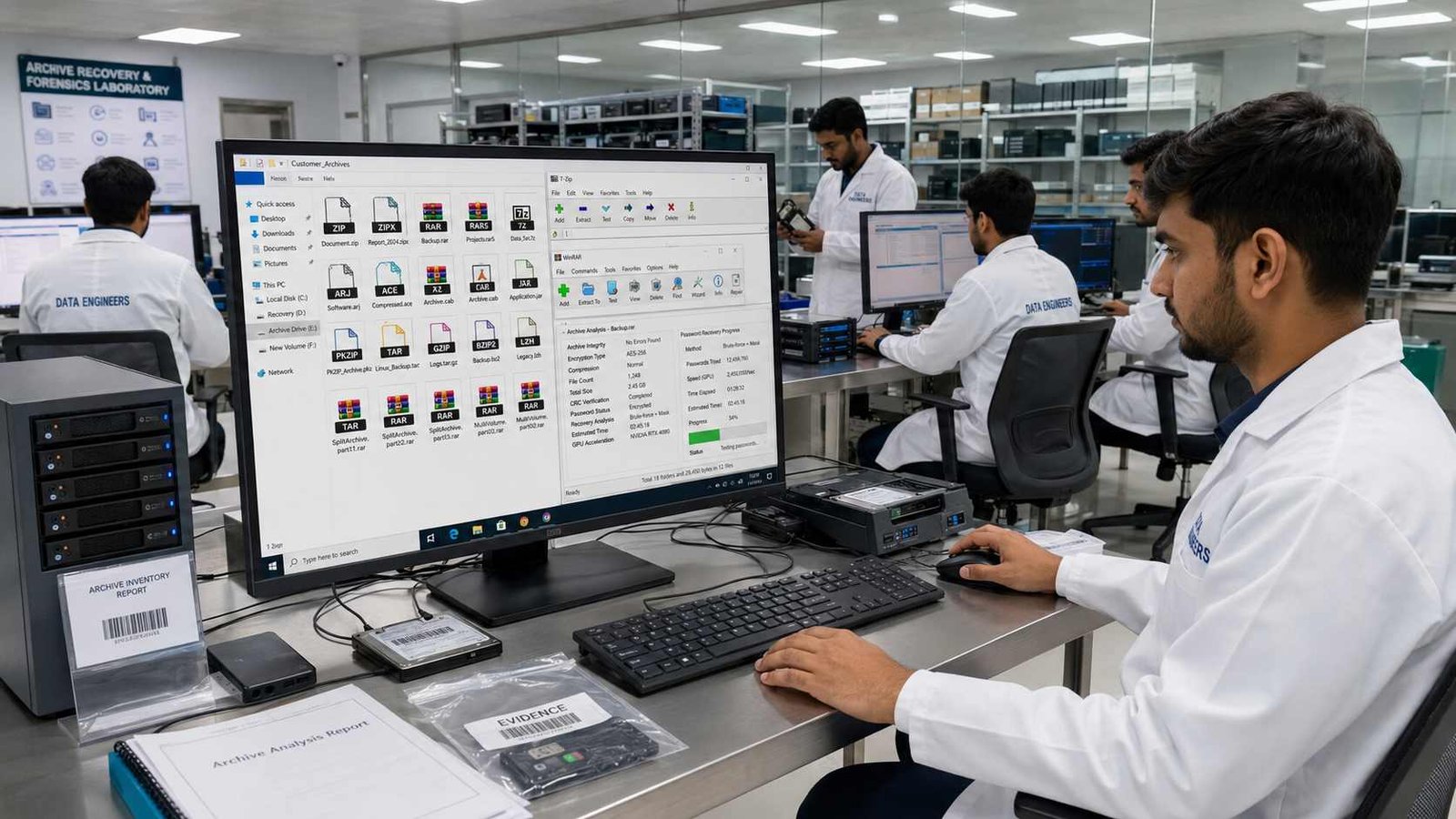
Professional recovery services often work with a wide range of archive formats, including:
- ZIP
- ZIPX
- RAR
- RAR5
- 7Z
- ARJ
- ACE
- CAB
- JAR
- PKZIP
- TAR
- GZIP
- BZIP2
- LZH
- Multi-volume archives
- Split archives
Real-World Recovery Scenarios
Professional assistance is often sought in situations such as:
Forgotten Business Archives
A former employee created encrypted ZIP backups, but the password was never documented.
Old Family Backups
An external hard drive contains years of family photos stored inside password-protected archives.
Financial Records
Accounting archives containing tax documents require access for audits or compliance purposes.
Legal Documents
Law firms may need access to archived evidence or historical case files protected years earlier.
Engineering Projects
CAD drawings, technical documentation and design archives often remain encrypted long after project completion.
Recovery Limitations
Understanding the limitations helps set realistic expectations.
Recovery may not be possible if:
- The password is completely unknown.
- A strong random password was used.
- AES-256 encryption protects the archive.
- No password clues are available.
- The archive is severely damaged beyond repair.
Recovery is often more feasible when:
- Part of the password is remembered.
- The password follows predictable patterns.
- Older encryption methods were used.
- Password reuse is suspected.
- Backup copies exist.
How to Prevent Future Password Loss
Protect important archives by following these best practices:
- Store passwords in a trusted password manager.
- Maintain secure offline backups.
- Document archive passwords according to your organization’s security policies.
- Label multi-volume archives clearly.
- Test backup archives regularly to confirm they can be opened.
- Keep recovery documentation separate from the encrypted archive.
Why Choose Data Engineers for Archive Recovery?

When critical business or personal archives become inaccessible, Data Engineers provide professional assessment and recovery services for a wide range of archive formats.
Our specialists use industry-standard tools and proven recovery techniques while maintaining strict confidentiality throughout the recovery process. Every case is carefully evaluated to determine the most appropriate recovery approach, whether the issue involves forgotten passwords, archive corruption or damaged storage media.
Our expertise includes:
- ZIP, RAR, RAR5, 7Z, ARJ, ACE, CAB, PKZIP, TAR, GZIP and other archive formats
- Password recovery assessment
- Corrupted archive repair
- Multi-volume archive recovery
- Secure handling of sensitive business and personal data
- Professional diagnostics with realistic recovery expectations
Conclusion
Forgetting the password to a ZIP, RAR, 7Z or ARJ archive can prevent access to valuable business or personal data, but recovery options depend on the archive format, encryption method and available password information.
Start with safe recovery steps such as checking password managers, older backups and remembered password variations. Avoid relying on untrusted online unlocking services for sensitive files, as they may introduce privacy or security risks.
If the archive contains critical information or uses strong encryption, a professional evaluation can help determine whether password recovery or archive repair is technically feasible. By understanding the limitations of modern encryption and following secure recovery practices, you can make informed decisions while protecting the integrity and confidentiality of your data.
Frequently Asked Questions

Worldwide Leader in Data Recovery



Leave a Comment