
Deleted Files from SSD? Why You Must Stop Using It Immediately (Complete SSD Recovery Guide)
Accidentally deleted important files from your SSD? It’s a very common situation—but what you do right after deletion makes all the difference.
Unlike traditional hard drives, SSDs behave very differently. If you continue using the system, your chances of SSD deleted file recovery can drop drastically within minutes.
Let’s understand why acting fast is critical and how SSD data recovery in India actually works.
Why You Must Stop Using SSD Immediately After Deletion
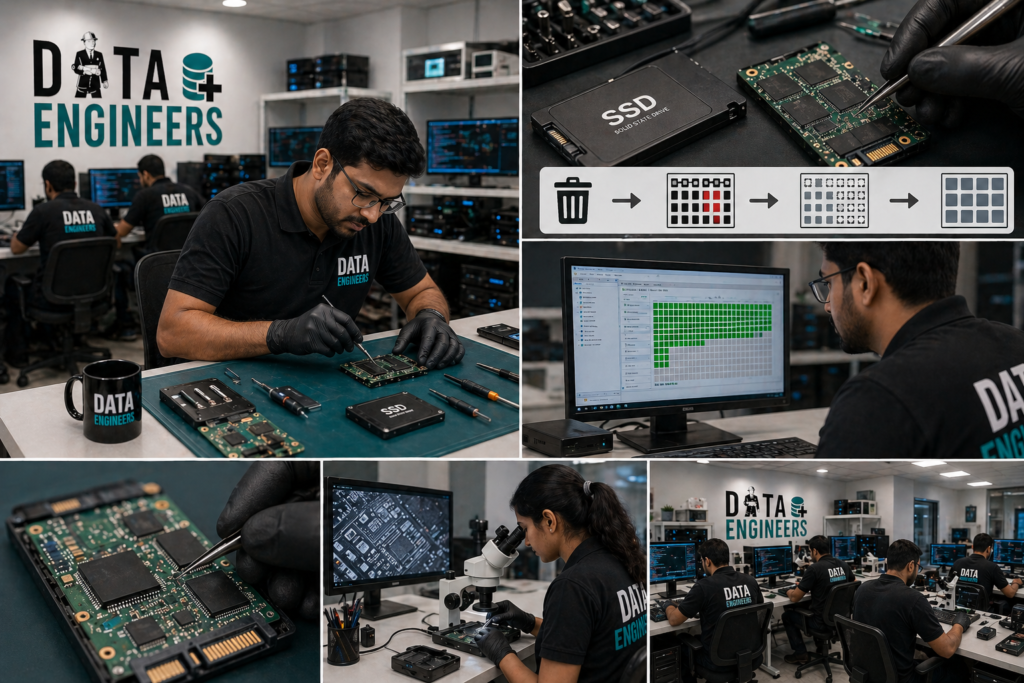
The moment a file is deleted from an SSD, it doesn’t always stay recoverable for long.
Here’s the reality:
- SSDs use a feature called TRIM
- TRIM automatically clears deleted data blocks
- Once cleared, data becomes permanently unrecoverable
So if you keep using your laptop or PC, you are unknowingly allowing the system to erase your deleted files permanently.
How TRIM Makes SSD Recovery Time-Sensitive
TRIM is designed to improve SSD performance – but it works against data recovery.
What TRIM does:
- Identifies deleted data blocks
- Sends command to wipe them internally
- Prepares space for new data
This process can happen within seconds to minutes, depending on system activity.
That’s why TRIM and data recovery don’t go well together.
What Happens Every Minute You Keep Using the SSD
Let’s break it down practically:
First Few Minutes
- File may still be recoverable
- TRIM may not have executed fully
After Continued Usage
- OS starts writing new data
- Deleted blocks get overwritten
After Some Time
- TRIM wipes remaining traces
- Data becomes permanently lost
👉 This is why experts always say:
“Stop using the SSD immediately after data loss.”
SSD Deleted File Recovery: Is It Still Possible?
Yes—but only under certain conditions.
Recovery is possible if:
- TRIM hasn’t executed yet
- SSD usage stopped immediately
- No overwriting has occurred
Recovery becomes difficult if:
- System kept running for long
- New files were saved
- OS updates or installations happened
👉 In such cases, only professional labs can attempt recovery.
Difference Between HDD vs SSD File Deletion
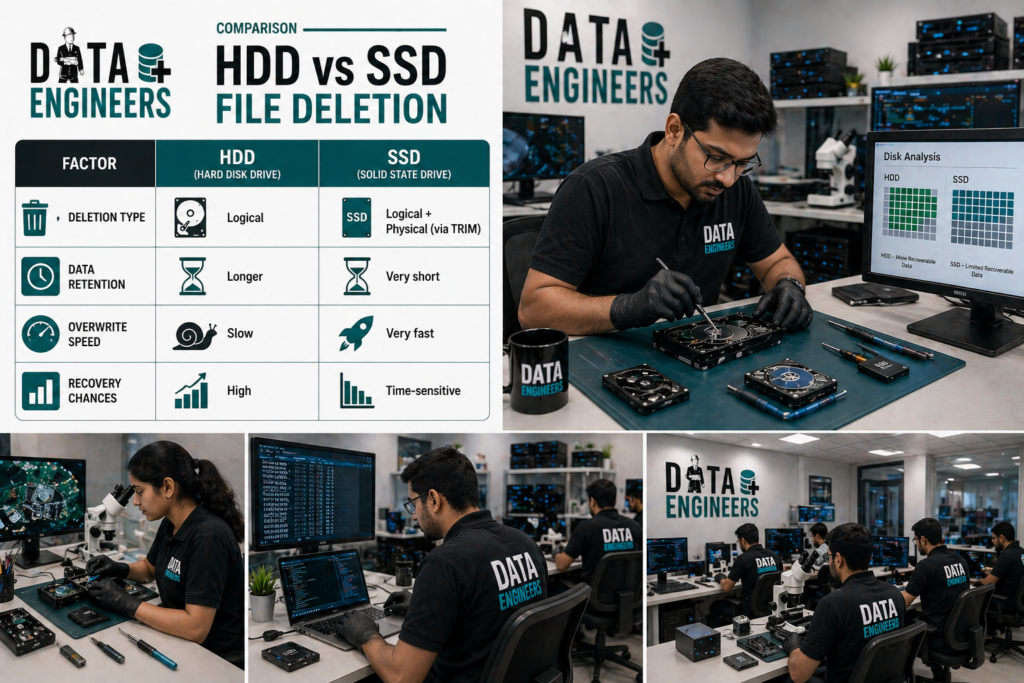
Many people assume recovery works the same way—but it doesn’t.
| Factor | HDD | SSD |
| Deletion Type | Logical | Logical + Physical (via TRIM) |
| Data Retention | Longer | Very short |
| Overwrite Speed | Slow | Very fast |
| Recovery Chances | High | Time-sensitive |
👉 On HDD, deleted files stay until overwritten.
👉 On SSD, TRIM can erase them automatically.
Is SSD File Deletion Permanent?
This is one of the most searched questions:
“Is SSD file deletion permanent?”
👉 The answer: Yes, in most cases—after TRIM executes.
Once TRIM clears the data:
- It cannot be recovered using software
- Even advanced recovery becomes difficult
What a Professional Lab Can Still Recover
Even in critical situations, recovery experts can sometimes help.
At Data Engineers, specialists use advanced techniques like:
- Firmware-level access
- NAND memory analysis
- Controlled data extraction
- Reconstruction of partial data
Possible recoveries include:
- Recently deleted files
- Partial data from damaged sectors
- Data from SSDs not detected
SSD Deleted File Recovery Process
Here’s how professionals handle it:
- Immediate device isolation
- SSD health and TRIM status analysis
- Safe cloning of remaining data
- Advanced recovery techniques
- Data verification and delivery
SSD Data Recovery in India – What It Costs
Costs depend on how quickly action is taken:
- Simple deletion cases: ₹5,000 – ₹12,000
- Advanced recovery: ₹15,000 – ₹35,000
- Severe cases: ₹40,000+
👉 Early action = lower cost + higher success rate
Urgent SSD Recovery – What You Should Do Now
If you’ve just deleted files:
✔️ Stop using the system immediately
✔️ Do not install recovery software
✔️ Avoid saving new files
✔️ Disconnect SSD if possible
👉 Then contact experts like
Data Engineers for urgent assistance.
Why Choose Data Engineers for SSD Recovery?
Data Engineers
📍 704, Meghdoot Building-94
Nehru Place, New Delhi
📞 +91-991-013-2719
📞 +91-981-856-7981
What makes them reliable:
- Expertise in SSD & NVMe recovery
- Advanced lab tools
- Fast emergency response
- High success rate in time-sensitive cases
Final Thoughts
Deleting files from an SSD is not like deleting from a hard drive. The window for recovery is very small and every minute counts.
If you act quickly, your data can still be recovered. But if you delay, the loss may become permanent.
👉 The safest move is always:
Stop → Disconnect → Contact Experts
Leave a Comment