• +91-981-856-7981
  • support@dataengineers.in
  • Mon – Sat: 11:00am – 7:00pm
Data Engineers Data Engineers
Call Us
  • Home
  • Services
    • Hard Disk Data Recovery
    • Mobile & Tablet Data Recovery
    • SSD Data Recovery
    • Pen Drive & Memory Card Data Recovery
    • CCTV Footage Data Recovery
    • NAS / SAN Data Recovery
    • Corrupted Files Data Recovery
    • Ransomware Virus Data recovery
    • Server Data Recovery
  • Forensics
    • Drone Forensics
    • RAID Forensics
    • Smartphone Forensics
    • Cryptocurrency Forensics
    • Malware Forensics
    • CCTV Video Footage Forensics
    • Deepfake Forensics
  • Training
  • About Us
  • Blog
  • Contact Us
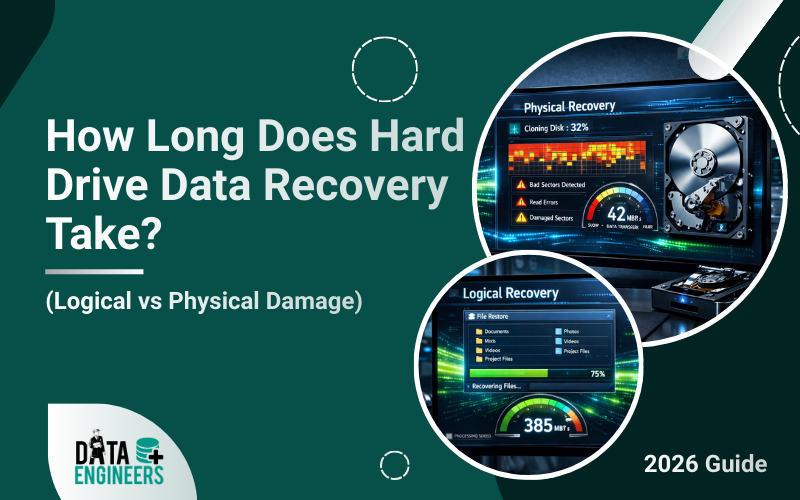
How Long Does Hard Drive Data Recovery Take (Logical vs Physical Damage)
  • 24 February, 2026
  • Data Engineers
  • 0 Comments
  • Blog

How Long Does Hard Drive Data Recovery Take? (Logical vs Physical Damage)

One of the most common questions people ask after data loss is about data recovery time. Whether your drive has logical corruption or physical damage, understanding how long to recover hard drive data helps you plan better. In 2026, recovery timelines depend on failure type, drive capacity, storage technology and urgency. Some cases are completed within hours. Others require days of cleanroom work. This detailed guide explains recovery timelines, logical vs physical damage differences and when to consider emergency data recovery or fast hard drive recovery services.
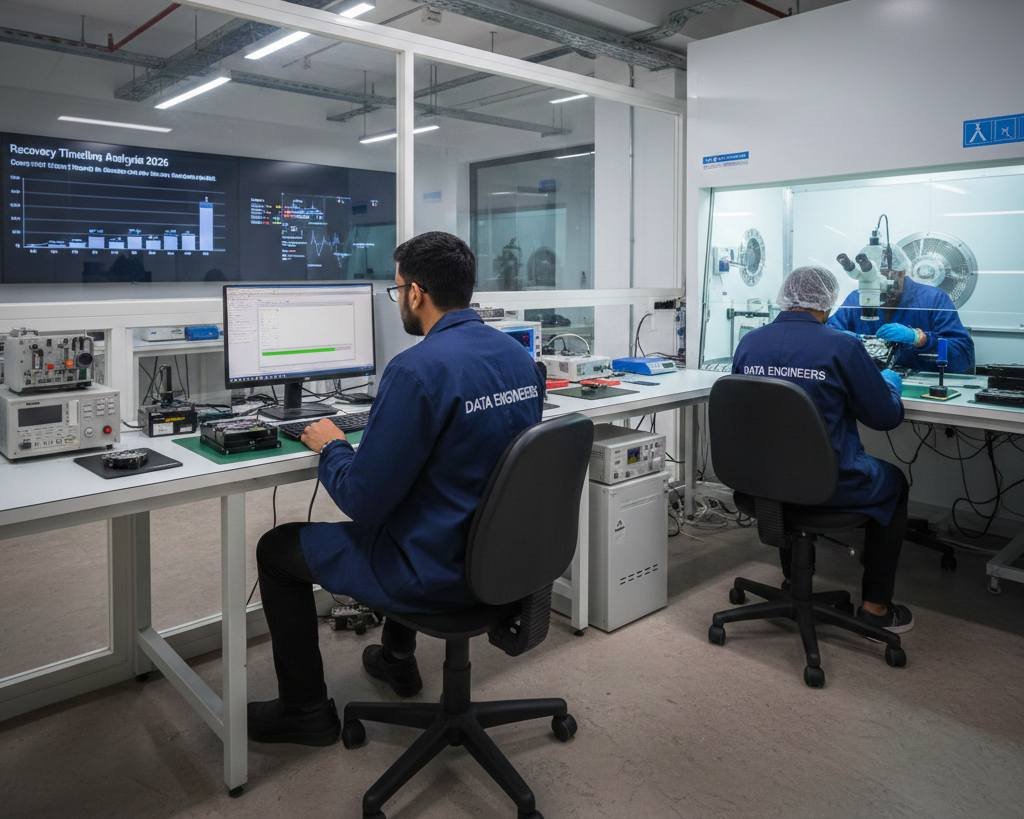
Table of Contents

Toggle
  • Why Data Recovery Time Varies
  • Logical Data Recovery Time
    • How long does logical recovery take?
    • Can logical recovery be completed in one day?
  • Physical Damage Recovery Time
  • How Long Does Physical Data Recovery Take?
  • SSD Data Recovery Time
  • Emergency Data Recovery in India – How Fast Is It?
  • What Slows Down Data Recovery?
  • Internal vs External Hard Drive Recovery Time
  • RAID and Server Recovery Time
  • Can Data Be Recovered in 24 Hours?
  • Step-by-Step Recovery Timeline Overview
    • Day 1:
    • Day 2–3:
    • Day 3–7:
  • How to Reduce Data Recovery Time
  • Choosing the Right Recovery Service
  • Why Choose Data Engineers for Fast & Secure Hard Drive Recovery?
    • What Makes Data Engineers Different?
    • Need Urgent Help?
      • Contact Info:
  • Final Conclusion
  • Frequently Asked Questions (FAQs)
    • Worldwide Leader in Data Recovery
    • Professional Expertise with Long Term Experience
  • DATA ENGINEERS

Hard drive data recovery time logical vs physical damage HDD SSD corruption cleanroom repair emergency fast recovery service secure extraction India www.dataengineers.in

Why Data Recovery Time Varies

There is no fixed answer to how long data recovery takes. Every hard drive failure is different.

Key factors affecting data recovery time:

  • Type of damage (logical vs physical)
  • Hard drive size (500GB, 1TB, 2TB, 4TB+)
  • Internal HDD vs external hard drive
  • SSD vs traditional hard disk
  • Drive health condition
  • Need for cleanroom repair
  • Urgency level (standard or emergency recovery)

A professional data recovery service always performs a full diagnosis before giving an accurate timeline.

Logical Data Recovery Time

Logical damage means the hard drive hardware is working, but data structures are corrupted.

Logical data recovery time accidental deletion formatted drive RAW partition virus attack file system corruption OS crash fast hard drive recovery service India www.dataengineers.in

Common logical issues:

  • Accidental file deletion
  • Formatting
  • RAW partition
  • Virus attack
  • File system corruption
  • Operating system crash

How long does logical recovery take?

Typical data recovery time for logical cases:

  • Small drives (under 1TB): 4–12 hours
  • Medium drives (1TB–2TB): 1–2 days
  • Large drives (4TB+): 2–3 days

Because the drive spins normally and there is no mechanical repair required, logical recovery is usually faster.

Can logical recovery be completed in one day?

Yes. Many cases qualify for fast hard drive recovery, especially when the drive is stable and not physically damaged.

Physical Damage Recovery Time

Physical damage involves hardware failure. This is more complex.
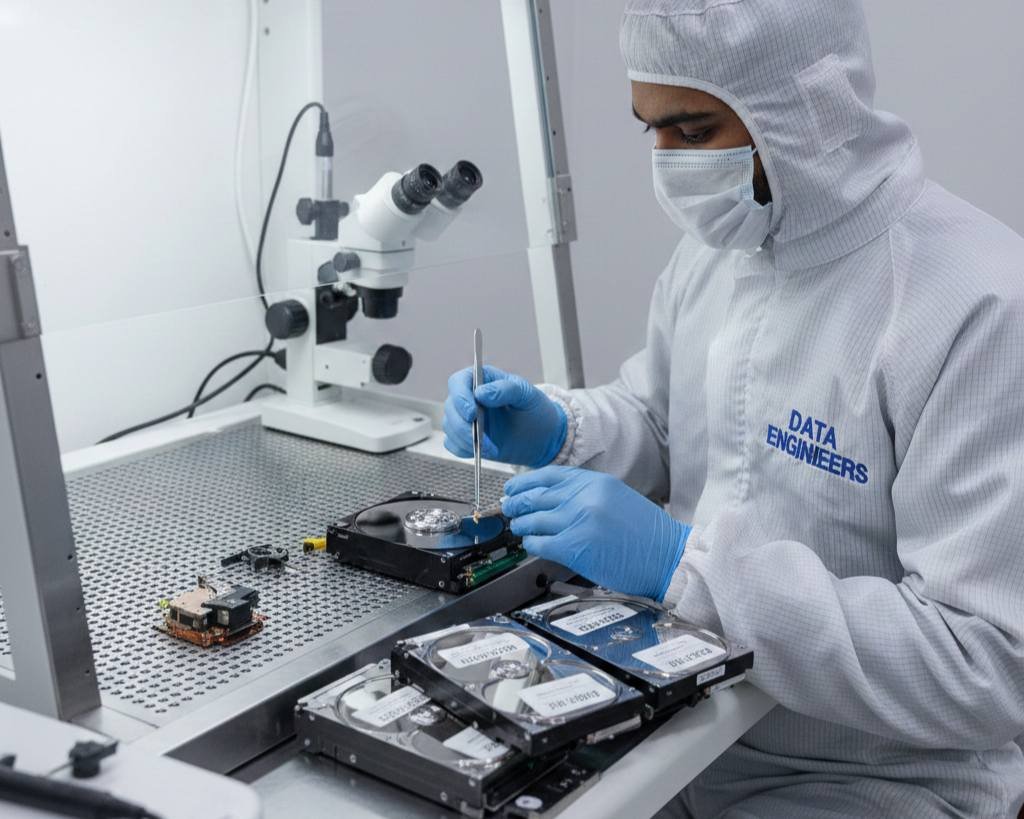
Physical hard drive data recovery clicking sound head crash motor failure burned PCB water fire damaged not spinning cleanroom repair secure extraction India www.dataengineers.in

Common physical failures:

  • Clicking sound
  • Head crash
  • Motor failure
  • Burned PCB
  • Water or fire damage
  • Drive not spinning

These cases require specialized tools and sometimes a certified cleanroom.

View Services: Hard Disk Data Recovery

How Long Does Physical Data Recovery Take?

Physical recovery takes longer because engineers must:

  1. Diagnose hardware failure
  2. Repair or replace components
  3. Stabilize the drive
  4. Create a sector-by-sector clone
  5. Extract data from clone

Estimated timeline:

  • Minor PCB or firmware issue: 1–3 days
  • Head replacement required: 3–7 days
  • Severe platter damage: 7–14 days

Mechanical failure significantly increases how long to recover hard drive data.

SSD Data Recovery Time

SSD recovery is different from HDD.

SSD data recovery time TRIM issue controller failure encrypted firmware NAND chip damage no detection SSD repair secure chip-level extraction India www.dataengineers.in

Reasons SSD recovery may take longer:

  • TRIM technology
  • Controller encryption
  • NAND chip complexity
  • Firmware dependency

SSD data recovery time usually ranges between 2–7 days depending on damage.

View Services: Solid State Drive Data Recovery

Emergency Data Recovery in India – How Fast Is It?

For businesses and urgent situations, emergency data recovery in India services are available.

Emergency services typically offer:

  • Same-day diagnosis
  • 24–48 hour priority processing
  • Dedicated engineer support
  • Weekend and holiday recovery

Fast hard drive recovery is possible if:

  • The damage is limited
  • Spare parts are available
  • No severe platter damage

Emergency recovery may cost more, but it reduces business downtime.

What Slows Down Data Recovery?

Several factors increase recovery time:

  • Repeated power attempts after failure
  • Drive opened outside cleanroom
  • Severe internal damage
  • Large storage capacity
  • Encryption
  • RAID configuration

Stopping usage immediately improves recovery success and reduces data recovery time.

Internal vs External Hard Drive Recovery Time
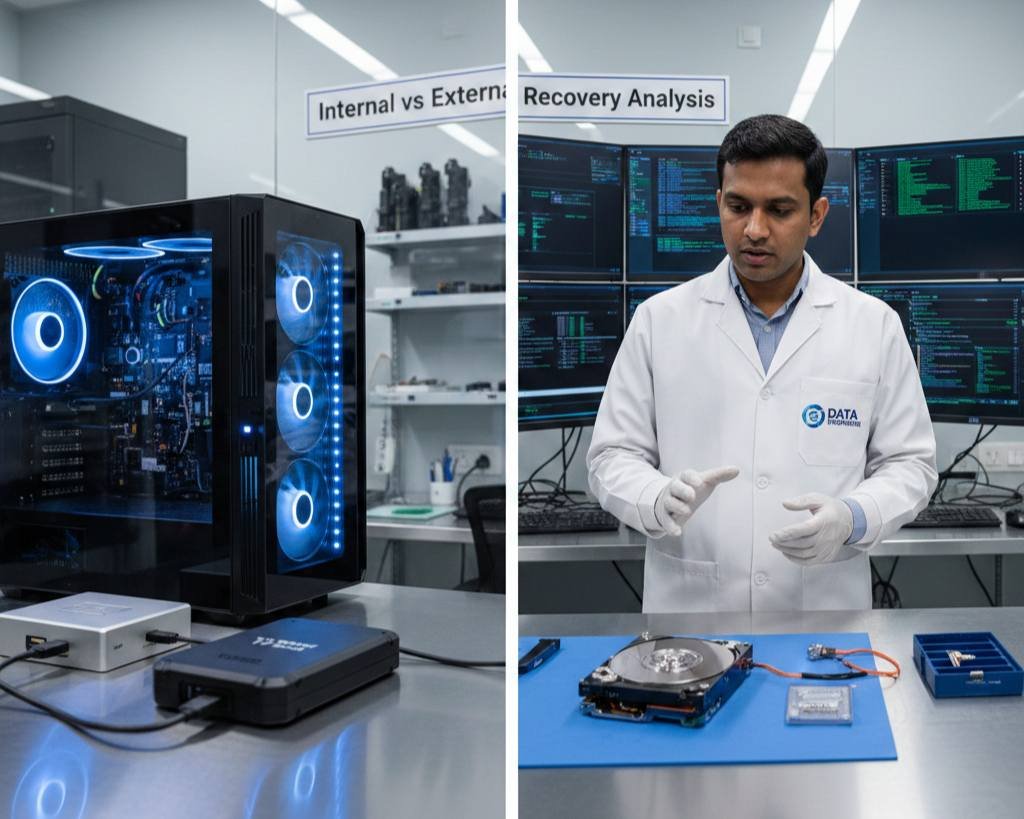
External hard drive data recovery USB controller failure PCB damage power surge issue internal head crash repair fast secure extraction service India www.dataengineers.in

External hard drive recovery may involve:

  • USB controller issues
  • PCB failure
  • Power fluctuation damage

If the issue is only with the USB board, recovery can be fast. But if internal heads are damaged, time increases.

RAID and Server Recovery Time

Enterprise environments take longer.

RAID recovery requires:

  • Rebuilding array structure
  • Identifying disk sequence
  • Synchronizing parity data

RAID recovery may take several days to weeks depending on complexity.

View Services: Server Data Recovery

Can Data Be Recovered in 24 Hours?

24 hour hard drive data recovery logical corruption firmware repair PCB replacement urgent fast priority service secure extraction India www.dataengineers.in

Yes, in specific cases:

  • Logical corruption
  • Minor firmware issue
  • PCB replacement only
  • Small-capacity drives

For urgent cases, choose fast hard drive recovery with priority processing.

Step-by-Step Recovery Timeline Overview

Day 1:

  • Diagnosis
  • Damage assessment
  • Quotation approval

Day 2–3:

  • Hardware repair (if needed)
  • Cloning process

Day 3–7:

  • Data extraction
  • File verification
  • Secure data transfer

How to Reduce Data Recovery Time

You can help speed up recovery by:

  • Stopping the drive immediately after failure
  • Avoiding repeated power attempts
  • Not opening the drive yourself
  • Avoiding software scans on clicking drives
  • Contacting a professional data recovery service early

Early action reduces complications.

Choosing the Right Recovery Service

To ensure faster and safer recovery:

  • Choose a certified data recovery lab
  • Confirm cleanroom availability
  • Ask about emergency data recovery options
  • Check transparent timelines
  • Ensure confidentiality policy

A trusted company ensures realistic timelines and safe handling.

Why Choose Data Engineers for Fast & Secure Hard Drive Recovery?
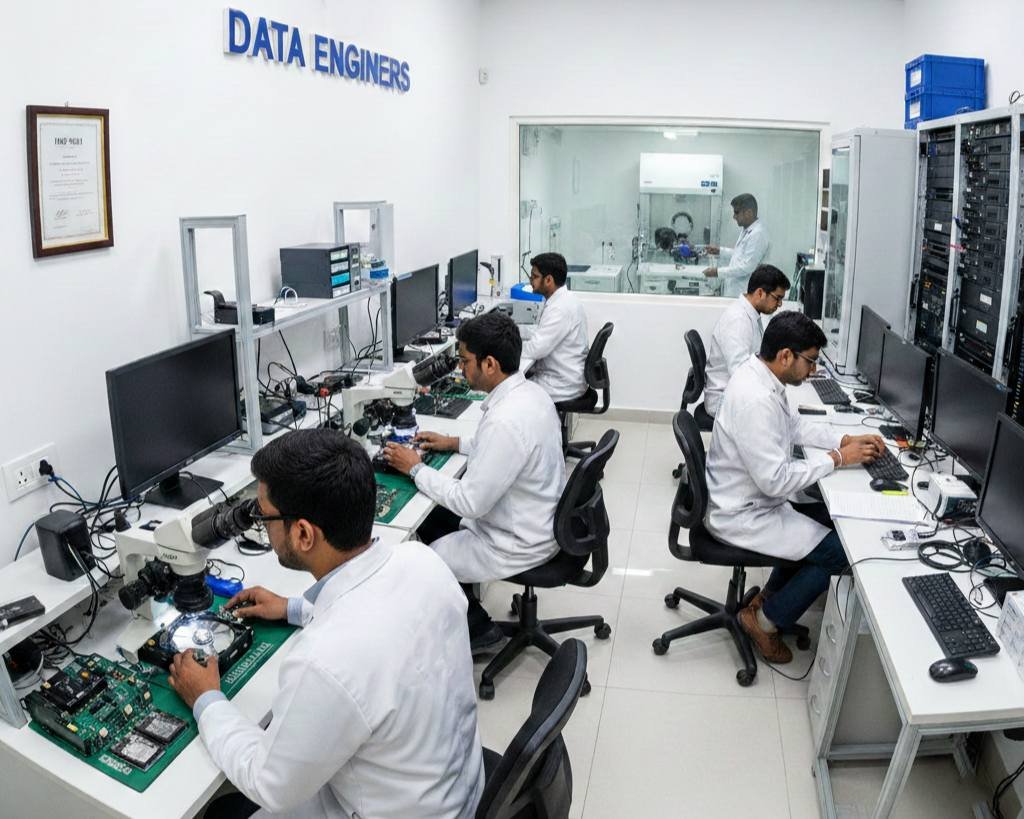
Fast secure hard drive data recovery cleanroom lab HDD SSD RAID external drive repair emergency recovery Delhi ISO certified no recovery no charge www.dataengineers.in

When data loss happens, every hour matters. That is why choosing the right recovery partner is critical. Data Engineers is one of India’s most trusted names in professional data recovery service, with thousands of successful recoveries completed since 2010.

We specialize in both logical and physical hard drive failures. Whether your drive has file corruption or severe mechanical damage, our certified engineers work in a controlled cleanroom environment to ensure safe and secure recovery.

What Makes Data Engineers Different?

✔ Advanced cleanroom lab for physical damage recovery
✔ Expertise in HDD, SSD, RAID and external drive recovery
✔ Transparent data recovery time estimates
✔ Emergency data recovery Delhi with priority handling
✔ Fast hard drive recovery options for urgent business needs
✔ Strict data confidentiality and ISO-certified processes
✔ No Recovery – No Charge policy

Need Urgent Help?

If your hard drive is not working, clicking or not detected, stop using it immediately. Contact Data Engineers for professional assistance and accurate recovery time estimation.

Your data is valuable. Trust experienced hard drive recovery experts who prioritize safety, speed and success.

Contact Info:

Call Now: +91-981-856-7981
Email: support@dataengineers.in
Website: www.dataengineers.in

Final Conclusion

Understanding how long to recover hard drive data depends on whether the damage is logical or physical. Logical cases are usually faster and may be completed within 24–48 hours. Physical damage, including head crash or motor failure, can take several days due to repair and cloning processes.

If you need urgent access, consider emergency data recovery services for faster turnaround. Always stop using the drive immediately and contact professional experts to reduce risks and recovery time.

Frequently Asked Questions (FAQs)

  1. How long does data recovery take on average?
    Logical recovery takes 1–2 days. Physical damage may take 3–7 days or longer.
  2. Can emergency data recovery be completed in 24 hours?
    Yes, in certain logical or minor hardware cases with fast hard drive recovery service.
  3. Does larger hard drive size increase recovery time?
    Yes. Larger capacity drives require longer cloning and scanning time.
  4. Is physical damage recovery slower than logical recovery?
    Yes. Mechanical repairs and cleanroom work increase data recovery time.
  5. Can repeated power attempts delay recovery?
    Yes. Repeated attempts can worsen damage and increase how long to recover hard drive data.

worldwide leader data engineers

Worldwide Leader in Data Recovery
Professional Expertise with Long Term Experience

Professional Expertise with Long Term Experience

Data Recovery Professionals

DATA ENGINEERS

704, 7th Floor, Meghdoot Building-94, Nehru Place, New Delhi, India
011-26426316 | +91-9910132719 | +91-9818567981
support@dataengineers.in
Call us for a free advice.

Specialists at retrieving data from all types of hard drive and phone storage media, today Data Engineers has grown into the India’s largest and most technically capable data recovery company.

Get Free Quote
Tags:
Data Recovery CostData Recovery TimeEmergency Data RecoveryFast Data RecoveryHard Drive Data RecoveryHard Drive Recovery PriceHDD RecoveryRAID Recovery
Prev PostToshiba External Hard Drive Not Working? USB to SATA PCB Guide
Next PostHow to Recover Password-Protected Application Files in 2026: WinRAR, WinZIP and Protected EXE Files (Complete Safe Guide)

Leave a Comment Cancel Comment

Your email address will not be published. Required fields are marked *

Recent Posts

  • Data Recovery Kahan Karwaye? Delhi, Nehru Place & India Mein Right Recovery Center Kaise Choose Karein
  • Laptop Not Turning On? Don’t Panic! Causes, Fixes & Data Recovery Explained
  • Hard Drive Short DST Check Failed: Causes, Fixes & Hard Drive Recovery Guide
  • How to Retrieve Deleted Text Messages on Android & iPhone (2026 Complete Guide)
  • No Boot Device Found Error: Causes, Fixes & Data Recovery Solutions

Recent Comments

No comments to show.

Popular Posts

data-recovery-kahan-karwaye-delhi-nehru-place-india-right-recovery-center-hard-drive-ssd-recovery-data-recovery-monitoring-dataengineers-data-recovery-center-www.dataengineers.in
10 August, 2026 / Blog
Data Recovery Kahan Karwaye? Delhi, Nehru Place & India Mein Right
Laptop Not Turning On Don’t Panic! Causes, Fixes & Data Recovery Explained www.dataengineers.in
27 July, 2026 / Blog
Laptop Not Turning On? Don’t Panic! Causes, Fixes & Data Rec
Hard Drive Short DST Check Failed Causes, Fixes & Hard Drive Recovery Guide www.dataengineers.in
27 July, 2026 / Blog
Hard Drive Short DST Check Failed: Causes, Fixes & Hard Drive Reco

Tags

Cryptocurrency Password Recovery damaged phone recovery Data Recovery Data Recovery Cost Data Recovery Near ME data recovery services Data recovery software Data Recovery Solutions Data Recovery Tips Deleted File Recovery Deleted Files Recovery Digital Forensics donor matching guide Drone Forensics Emergency Data Recovery Ethereum Keystore Password Recovery External Hard Drive Recovery hard disk data recovery Hard Disk Recovery Hard Drive Data Recovery hard drive data recovery tips Hard Drive Failure Hard Drive Not Detected hard drive PCB repair Hard Drive Recovery Hard Drive Recovery Near Me Hard Drive Repair HDD data recovery HDD Recovery iphone data recovery iPhone Passcode Bypass Laptop Data Recovery memory card data recovery Mobile Forensics Password Unlock phone data recovery RAID server recovery Recover Deleted Data SATA To USB Adapter Server Data Recovery smartphone password recovery SSD data recovery SSD Not Detected VeraCrypt recovery •

Categories

  • Blog

With Data Engineers, you can be assured of a seamless experience for data recovery services that are quick, easy and confidential with top-quality results.

    Our Services

    • Hard Disk Data Recovery
    • Mobile & Tablet Data Recovery
    • SSD Data Recovery
    • Pen Drive & Memory Card Data Recovery
    • CCTV Footage Data Recovery
    • NAS / SAN Data Recovery
    • Server Data Recovery

    Forensics Services

    • Damage Drone Forensics
    • Damaged RAID Forensics
    • Smartphone Forensics
    • Deepfake Forensics Investigation
    • CCTV Forensics Data Recovery
    • Malware Forensics Investigation
    • Cryptocurrency Forensics Investigation

    Useful Links

    • Home
    • Services
    • Training
    • FAQ
    • About Us
    • Contact Us
    • Privacy Policy
    • Terms & Conditions

    Locations: Mumbai | Delhi | Bengaluru | Chennai | Kolkata | Hyderabad | Pune | Ahmedabad | Surat | Jaipur | Lucknow | Kanpur | Nagpur | Indore | Thane | Coimbatore | Visakhapatnam | Bhopal | Patna | Vadodara | Ludhiana | Agra | Nashik | Madurai | Chandigarh |

    support@dataengineers.in Drop Us a Line
    +91-981-856-7981 Call Us Now
    704, Meghdoot Building-94, Nehru Place, New Delhi, India Get Direction
    Copyright 2026 Data Engineers, All rights reserved.
    Manage Consent
    To provide the best experiences, we use technologies like cookies to store and/or access device information. Consenting to these technologies will allow us to process data such as browsing behavior or unique IDs on this site. Not consenting or withdrawing consent, may adversely affect certain features and functions.
    Functional Always active
    The technical storage or access is strictly necessary for the legitimate purpose of enabling the use of a specific service explicitly requested by the subscriber or user, or for the sole purpose of carrying out the transmission of a communication over an electronic communications network.
    Preferences
    The technical storage or access is necessary for the legitimate purpose of storing preferences that are not requested by the subscriber or user.
    Statistics
    The technical storage or access that is used exclusively for statistical purposes. The technical storage or access that is used exclusively for anonymous statistical purposes. Without a subpoena, voluntary compliance on the part of your Internet Service Provider, or additional records from a third party, information stored or retrieved for this purpose alone cannot usually be used to identify you.
    Marketing
    The technical storage or access is required to create user profiles to send advertising, or to track the user on a website or across several websites for similar marketing purposes.
    • Manage options
    • Manage services
    • Manage {vendor_count} vendors
    • Read more about these purposes
    View preferences
    • {title}
    • {title}
    • {title}