
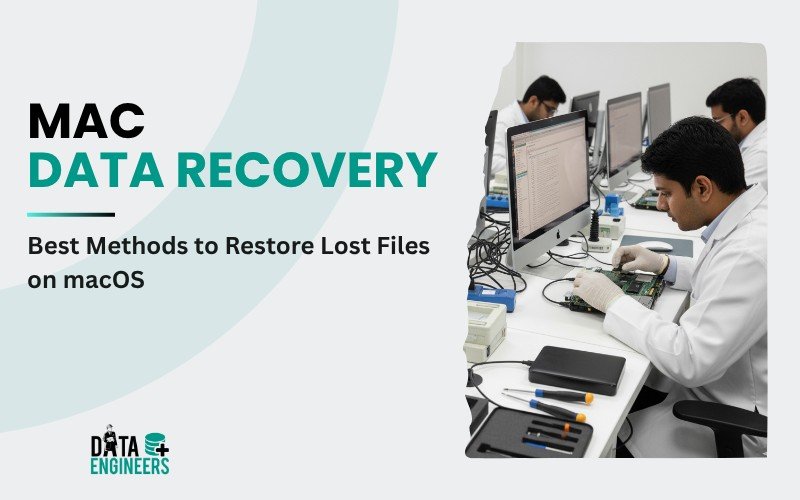
Mac Data Recovery: Best Methods to Restore Lost Files on macOS
Losing important files on your Mac can be frustrating, but the good news is that you don’t have to panic. Regardless of whether you inadvertently deleted documents, photos, videos or any other types of files from your macOS device, you can recover lost data on Mac with the right methods and tools. In this blog, we explore several of the best Mac data recovery methods to restore your files, including using Mac file recovery software and professional data recovery services.

🧩 Understanding Mac Data Loss
The reasons why you might lose files on your Mac are many, including:
💥 Accidental deletion: You might have accidentally deleted files from your MacBook, Mac desktop or external drive.
💽 Disk corruption: Your macOS may have a corrupted disk or a failed hard drive that results in lost files.
⚡ Power failure: Sudden surges or power failures can interrupt either the file transfer in process or the operations occurring in the system, resulting in data loss.
💻 Software crashes: An application malfunction or system crash might render the files unreadable or lost.
No matter the cause, the Mac data recovery process can help you restore your files.
🛠️ Best Methods for Mac Data Recovery

🗑️ 1. Check the Trash Bin
If you have accidentally deleted a file, the first thing you should do is check the Trash folder. macOS keeps deleted files in the Trash for a period of time before they are permanently removed. To check:
A. Open the Trash on your Mac.
B. Look for the deleted files you want to recover.
C. Right-click the files and hit Put Back to get them back to their original location.
If the files are not in the Trash, then do not worry. There’s another way to recover your lost data.
🕒 2. Utilize macOS Time Machine Backup

If you use Time Machine for your backup, you may be able to restore the files from a previous backup. Time Machine automatically creates backups of your entire system, including documents, photos, apps and more.
Here’s how you can use Time Machine to recover files on your Mac:
A. Connect your Time Machine backup drive to your Mac.
B. Open Time Machine either by clicking the Time Machine icon in the menu bar or through System Preferences.
C. Browse the backup until reaching the date when the file was still available.
D. Select the file and click Restore to bring it back.
💡 Pro Tip: With periodic backups of your Mac using Time Machine, losing data in the future will be avoidable.
💾 3. Use macOS File Recovery Software
When files are permanently deleted—even from the Trash—and in cases when your Mac has developed a serious problem, such as a hard drive crash or a corrupted SD card, recovery software can save your Mac files. These tools scan your Mac storage for deleted files that have not been overwritten by new data as of yet.

Some popular Mac data recovery applications include:
🧠 Disk Drill: This is an efficient data recovery tool for Mac that allows file recovery from internal drives, external drives, SD cards and USB drives.
🔍 Stellar Data Recovery: Provides file recovery on macOS for various kinds of lost or deleted documents, photos and videos from different devices like Seagate and Western Digital hard drives.
⚙️ EaseUS Data Recovery Wizard: It is an easy-to-use software that supports data recovery on a Mac even in extreme circumstances of drive damage or formatting.
🆓 PhotoRec: A free, open-source tool to help recover photos either from your Mac or external media devices.
How to use:
- Download and install your preferred recovery software.
- Select the drive, whether internal or external, where your data loss occurred.
- Scan the drive for recoverable files.
- Preview the files and select the ones you want to recover.
- Save the recovered files on another drive to avoid overwriting any data.
These recovery tools can recover photos, documents, videos and even system files that might have been deleted from your MacBook, iMac or Mac Mini.
🏢 4️⃣ Professional Mac Data Recovery by Data Engineers

If your Mac hard drive, SSD or external device is damaged or not working properly, normal software may not be enough to recover your lost files. In such cases, Data Engineers can help you get your data back safely.
💡 Data Engineers is a trusted data recovery company in India. Their expert team can recover all types of files — like photos, videos, documents and system data — from crashed, water-damaged or corrupted Mac devices. They use advanced recovery tools and techniques to bring your files back securely.
📍 Address: 704, Meghdoot Building-94, Nehru Place, New Delhi, India
📞 Phone: +91-11-26426316 | +91-991-013-2719 | +91-981-856-7981
📧 Email: support@dataengineers.in
🌐 Website: www.dataengineers.in
✅ Whether your MacBook, iMac or external hard drive has failed, Data Engineers can recover your important files quickly and professionally.
🛡️ Prevention Tips for Future Data Loss in Mac
Follow these tips below to avoid the loss of essential files on your Mac in the future:
📆 Regular backups: Use Time Machine, cloud storage or even external hard drives to back up your data regularly.
☁️ Cloud Storage: Store important files on cloud services, such as Google Drive, iCloud or Dropbox, for easy access and backup.
⚠️ Be careful with deleting files: Before you empty the Trash or delete a file that is important, make sure you know what you are doing.
📊 Use disk health monitoring tools: Applications like DriveDx will help you monitor the condition of your hard drive or SSD so that you can have it replaced before it actually fails.
🏁 Conclusion: Recover Your Mac Files Today
Losing data on a Mac can be quite frustrating, but there are methods of recovery you could use to get your important files back. Whether you use Time Machine, macOS file recovery software or seek professional help, recovering deleted files is quite possible. The key is to act quickly so that you avoid overwriting the lost data.
Should either of the attempts at recovery fail or the damage be physical, do not hesitate to contact professional Mac data recovery services to ensure that all your files are restored safely. Remember that prevention, such as backing up your data and monitoring device health, is key to making sure you don’t face data disasters in the future.

Worldwide Leader in Data Recovery

Leave a Comment