
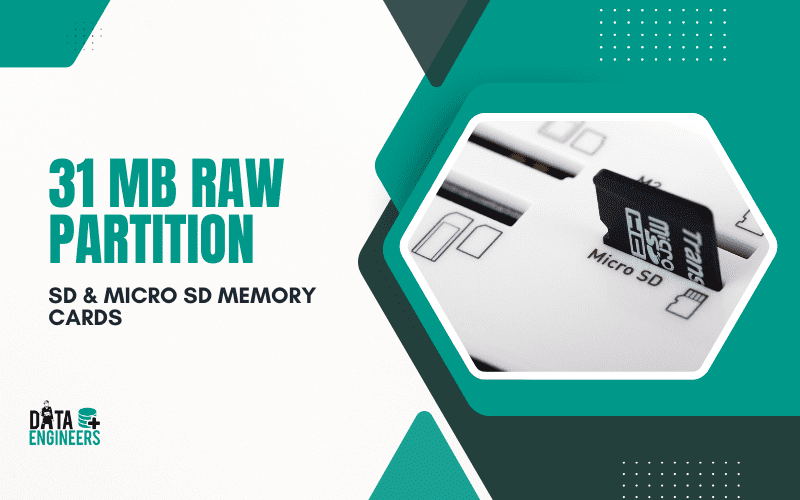
How to Fix 31 MB RAW Partition on SD & MicroSD Cards [Solved] | Data Engineers
Having a 31 MB RAW Partition on your SD or Micro SD card can be frustrating. This usually means your memory card is not working right, and you can’t access your files. The problem may happen because of sudden power loss, a bad format, or other errors. In this post, we’ll explain what a RAW partition is, why it happens

🛑 Symptoms:
- Disk listed as RAW in Disk Management 🖥️
- Prompt: “You need to format the disk before you can use it” ⚠️
- Capacity shrinks (e.g., 64GB → 31MB) 🤯
- “File or directory is corrupted and unreadable” 🧱
- Files not visible or accessible 🕳️
🧠 Why Does This Happen?
Several factors can corrupt an SD or Micro SD card:
- ⚡ Sudden Power Loss – Unplugging during transfer or power outage
- 🦠 Virus or Malware Attack – Corrupts file system tables
- 🧯 Improper Ejection – Pulling the card without ejecting safely
- 🔥 Overheating – Especially in dashcams or drones
- 🧱 Bad Sectors or NAND Failure – Hardware deterioration
- 🧩 Fake/Counterfeit Card – Common with unbranded or low-cost cards
🔧 How to Fix a RAW SD Card
⚠️ DO NOT format the card immediately if your data is valuable. Formatting can overwrite data!
1️⃣ Check with Disk Management
- Press Win + R, type diskmgmt.msc
- See if your SD card shows as RAW or unallocated
- If it’s RAW, recovery is still possible ✅
2️⃣ Try Recovery Software
Before you do anything drastic, use one of these:
- 🛠️ Recuva (Easy for beginners)
- 🕵️ PhotoRec / TestDisk (Free & powerful)
- 💼 EaseUS Data Recovery Wizard
- 💻 R-Studio (Advanced users)
These tools can recover files from a RAW partition before formatting.
3️⃣ Clean and Format with DiskPart (if recovery isn’t needed)
💀 Warning: This will erase all data!

✅ Where You Can Use This (DiskPart Format Sequence):
🖥️ Windows PCs:
This method works on any Windows-based system (Windows 7, 8, 10, 11).
It’s ideal when you need to fully wipe, repartition, or reformat an SD or Micro SD card, USB drive, or external hard drive.
🔧 When to Use It:
🧼 To wipe out a corrupted or RAW partition (like the 31MB issue)
🔄 To fix file system errors that standard formatting tools can’t handle
🚫 To remove hidden partitions or malware-infected boot sectors
💽 When other tools (like SD Formatter or Windows Format UI) fail
❌ Where You Should Not Use It:
Not on your system drive (
Disk 0) unless you’re reinstalling Windows ⚠️Not if you haven’t backed up data —
cleandeletes everythingNot on a card that’s physically damaged — it won’t help in hardware failure cases
📌 This restores the partition table and file system.
4️⃣ If It Still Shows Only 31MB?
That’s often a fake card or a controller issue. Try:
- 🧰 SD Formatter by SD Association (safe, official tool)
- 🧠 ChipGenius – Identifies card controller details
- 🔄 MPTool / AlcorMP / Phison tools – Manufacturer-specific low-level reprogramming tools (for advanced users)
These can “re-flash” the memory controller if it’s stuck or misconfigured.
❓Can You Trust the Card Again?
Not really. If your card:
- Showed 31MB instead of 32GB 📉
- Frequently disconnects or fails to format 💣
- Has been recovered via controller-level tools 🔬
Then it’s not safe for long-term storage. Replace it with a trusted brand. 🏷️💯
Understanding the Issue
Why your SD card suddenly shows 31 MB instead of its full capacity: The ’31 MB RAW’ issue is almost always caused by corruption of the SD card’s partition table and file system header — not physical damage to the storage cells. This typically happens due to abrupt card removal during a write operation, power interruption, using the card across incompatible devices, or exposure to malware. The 31 MB figure corresponds to a default empty partition layout. The good news: your data is almost certainly still on the card and recoverable before you attempt any formatting or repair.
🔒 Best Practices to Avoid RAW Card Issues
- ✅ Always eject safely from devices
- 🔋 Avoid low battery shutdowns during file transfers
- ⚙️ Format only using SD Formatter
- 🧹 Don’t fill the card to 100% capacity
- 🔍 Check for fake cards using H2testw or F3
- 🏪 Buy from reliable sources (no sketchy online sellers)
💭 Final Thoughts
When an SD or Micro SD card turns into a RAW partition and reports only 31MB, it’s either corrupted or a fake. Recovery is possible using the right tools, but prevention is even better. Always back up your data, handle cards properly, and invest in quality brands.
Please Note: This is not a simple problem you can fix with online tips or free tools. A 31 MB RAW Partition on an SD or Micro SD card usually means the card is damaged in a more serious way. Fixing it needs special skills and tools. We strongly suggest you talk to a professional data recovery service. This will help keep your files safe and stop any more damage to your memory card.Understanding the Issue

Worldwide Leader in Data Recovery


Leave a Comment